Guide
When a Smart Home Maker's Own Pages Disagree
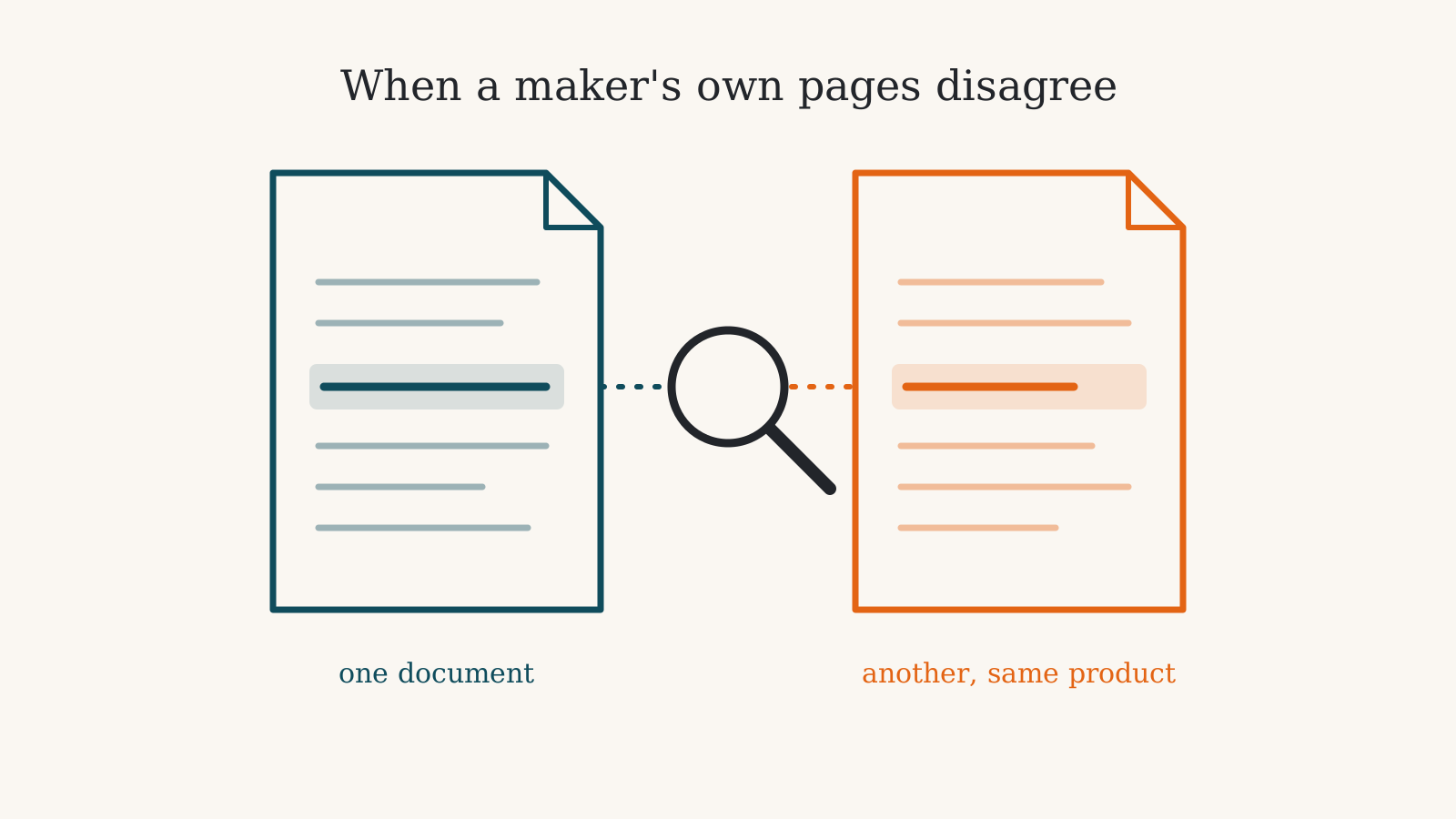
One maker page isn’t enough to settle how long a device will get security updates or whether it can be mounted outdoors. On 33 of the products we track, the maker’s own documents give two different answers to a question like that about the same product. When you find two answers, start with the document written for the exact model you’re buying: a signed compliance statement, the user manual, or the line in a table that names the model number. A general policy page or a headline feature list covers a whole range, and one model in that range can differ.
For security updates there is a second step. Some makers sign a statement for each model in countries that require one, and a signed statement for your model outranks a sentence on a brand-wide policy page. Where two signed statements promise different periods, our profiles use the shorter promise as a conservative planning reference. Read the named region: a United Kingdom statement is not a guarantee for a unit bought elsewhere.
Where the two answers come from
The cases in our records fall into a few shapes, and each one points at a different document to check.
A policy page and a signed statement. Aqara publishes a general security page with a minimum update period for certain models, a support table with end dates, and signed statements for the United Kingdom and Australia that name individual products. For the Aqara Camera Hub G5 Pro and the Aqara Smart Lock U200, those documents give different periods, and the two countries’ statements differ from each other. Of the products listed below, 9 are Aqara’s. That reflects how much Aqara publishes. A maker that puts out one page has nothing for it to disagree with, so a short list for a brand is not a finding about that brand.
A store page and a manual. The store page for the Aqara Camera Hub G3 lists a weather rating in its specifications, and the camera’s user manual says where it may be used. The two don’t match. Anyone planning to mount it under an eave should read the manual’s installation section before ordering.
Two places on one page. A product page’s question-and-answer section can say one thing while a feature list or a per-model line higher up says another. The Mammotion LUBA 3 AWD has a case of this about which models get its positioning service free. Per-model lines are the ones to read when a product comes in several sizes.
A plans table and a help page. Ring’s plans page describes its entry plan by the doorbell or camera it covers, while that plan’s help page lists a calling feature for the Ring Alarm Flood & Freeze Sensor. A comparison table is a summary, and the help page for the plan is where the device-by-device detail sits.
How a case gets onto this page
Both sentences are quoted word for word from the maker’s own pages, its manuals or its certification and compliance filings. Each one carries the name of the document and the date we read it. A case counts only when the two sentences are about the same fact on the same product and both come from the maker.
Every case ends with what the product page shows and one sentence of reasoning. For a security-update period, a signed statement for the model comes before a brand-wide policy sentence, and where two signed statements differ the page goes by the shorter, because that is the period a buyer can plan on. Where nothing settles the question, the page says less: the camera above is shown with no weather rating at all.
A case appears only when both sentences are on file exactly as the maker wrote them. Others wait for the next read of the maker’s pages. This is desk research. We read documents and compare them, and nothing here comes from using the products.
Every case that affects a purchase
There are 35 findings on 33 products from 19 makers. This list keeps the cases that bear on what you pay, whether the product works with the rest of your home, how long it gets security updates, or whether it is safe where you plan to put it; the 17 smaller differences we found, such as a runtime or a zone count, stay in our records and off this list. Each product name links to its full page.
Aiper Scuba S1 (2026)
Where Aiper's own pages disagree
pool type
- “Designed for both above-ground and in-ground pools, the Scuba S1 cleans pools up to 1600 sq. ft.” maker product page, overview paragraph, read 2026-10-03
- “In-ground” maker product page, specification table, the 'Ideal Pool Type' cell, read 2026-10-03
On pool type, this page shows in-ground. This page goes by Aiper's specification table, which gives in-ground pools as the pool type, although a paragraph on the same Aiper page also names above-ground pools.
Airthings View Plus
Where Airthings's own pages disagree
Amazon Alexa compatibility
- “The Airthings View Plus integrates with Amazon Alexa, Google Assistant, IFTTT, and Homey to trigger smart home routines based on sensor readings.” Airthings' View Plus product page, the FAQ answer on Alexa, Google Home and HomeKit, read 2026-10-01
- “Ask your Amazon Alexa to audibly share current readings and use IFTTT or Homey to trigger smart home automation routines.” Airthings' View Plus product sheet, the 'Smart & healthy home' highlight, read 2026-10-01
On Amazon Alexa compatibility, this page shows that it works, by a limited route. Airthings' product page says Alexa can trigger routines from sensor readings while its specification sheet describes Alexa as reading the current values aloud, so this page says it works with Alexa, with an exception.
Aqara Camera Hub G3
Where Aqara's own pages disagree
whether the camera is rated for outdoor use
- “International Protection Rating IP65” Aqara's US store page, specifications table, read 2026-09-27
- “This product is only for indoor use.” Aqara's Camera Hub G3 user manual, installation section, read 2026-09-27
On whether the camera is rated for outdoor use, this page shows no water or weather rating is claimed. Aqara's store page lists an IP65 rating for this camera while its user manual says it is only for indoor use, so this page states no water rating and does not describe it as an outdoor camera.
Aqara Camera Hub G350
Where Aqara's own pages disagree
Subscription
- “The cloud storage requires HomeGuardian plan, which has a free trial included and activated automatically.” Aqara's US product page for the Camera Hub G350, the cloud storage footnote, read 2026-10-01
- “opt for end-to-end encrypted cloud storage (manual opt-in required, no automatic trials)” Aqara's US store data for the Camera Hub G350, the storage paragraph of the description, read 2026-10-01
On whether it needs a subscription, this page shows optional subscription. Aqara's product page says the cloud plan's free trial starts automatically while its own store listing says there are no automatic trials, so this page says only that the plan is optional and comes with a trial.
Aqara Camera Hub G5 Pro
Where Aqara's own pages disagree
Security-update support period
- “We will maintain the security updates for at least 2 years from the launch day of certain device models.” Aqara's Global Security & Compliance Statements page, read 2026-09-27
- “we state that the defined support period for the product above is till 12/31/2026.” Aqara's signed UK statement for the Camera Hub G5 Pro (Wi-Fi), read 2026-09-27
- “We state that the defined support period for the product above is at least 5 years from the launch day.” Aqara's signed Australian statement for the Camera Hub G5 Pro (Wi-Fi), read 2026-09-27
- “We state that the defined support period for the product above is at least 3 years from the launch day.” Aqara's signed Australian statement for the Camera Hub G5 Pro (PoE), read 2026-09-27
On how long it gets security updates, this page shows updates until December 31, 2026 (UK-declared — the maker's legal commitment is filed for the United Kingdom). Aqara's signed statements for this camera promise security updates until 31 December 2026 in the UK and at least 3 or 5 years from launch in Australia, and its general policy page promises at least 2 years for certain models, so this page goes by the UK date because it is the shortest promise Aqara has signed.
Aqara Presence Sensor FP2
Where Aqara's own pages disagree
Works without the internet
- “Automations of FP2 are executed without sending to the cloud, and they will keep working even in case of no internet connection.” Aqara's US store page, feature list, read 2026-10-01
- “*If local automation is needed, this product should be used with a Hub with Wi-Fi Local Automation features.” Aqara's Presence Sensor FP2 user manual, product introduction, read 2026-10-01
On whether it works without the internet, this page shows that it partly does. Aqara's store page says this sensor's automations keep working with no internet connection, while its user manual says local automation needs a hub with Wi-Fi local automation features, so this page says it works without the internet only with other Aqara or Apple Home devices.
Security-update support period
- “the defined support period for the product above is at least 2 years from the launch day.” Aqara's signed UK statement for the Presence Sensor FP2 (PS-S02D, PS-S02E), dated April 9, 2024, read 2026-10-02
- “We state that the defined support period for the product above is at least 5 years from the launch day.” Aqara's signed Australian statement for the Presence Sensor FP2 (PS-S02E, PS-S02D), dated 2025.8.20, read 2026-10-02
On how long it gets security updates, this page shows at least 2 years of security updates from the launch day — Aqara's stated policy, qualified to "certain device models". The document this comes from names no country, so which markets it legally covers is not stated. Aqara has signed a UK statement promising at least 2 years of security updates from launch and an Australian statement promising at least 5 years for the same Presence Sensor FP2 model codes, and this page goes by Aqara's general policy of at least 2 years because neither statement can be tied to the version sold in the United States.
Aqara Smart Lock U200
Where Aqara's own pages disagree
Security-update support period
- “Lock Smart Lock U200 EL-D02E,EL-D02D 2024.7.9 2026.06.30” Aqara's Product Security Support Policy table, read 2026-09-27
- “we state that the defined support period for the product above is till 12/31/2026.” Aqara's signed UK statement for the Smart Lock U200 and Keypad, read 2026-09-27
- “We state that the defined support period for the product above is at least 5 years from the launch day.” Aqara's signed Australian statement for the Smart Lock U200 and Keypad, read 2026-09-27
On how long it gets security updates, this page shows updates until December 31, 2026 (UK-declared — the maker's legal commitment is filed for the United Kingdom). Aqara's signed statements for this lock promise security updates until 31 December 2026 in the UK and at least 5 years from launch in Australia, while its policy table lists 30 June 2026, so this page goes by the UK date because it is the shorter of the two promises Aqara signed.
Aqara Smart Lock U400
Where Aqara's own pages disagree
Security-update support period
- “We will maintain the security updates for at least 2 years from the launch day of certain device models.” Aqara's Global Security & Compliance Statements page, read 2026-09-27
- “We state that the defined support period for the product above is at least 3 years from the launch day.” Aqara's signed Australian Statement of Compliance for the Smart Lock U400 kit, read 2026-09-27
On how long it gets security updates, this page shows at least 2 years of security updates from the launch day — Aqara's stated policy, qualified to "certain device models" and with no published launch date for this model. The document this comes from names no country, so which markets it legally covers is not stated. Aqara's general policy page promises at least 2 years of security updates for certain models, while its signed Australian statement for the U400 kit promises at least 3 years, so this page goes by the policy page because the statement does not say which of its six model codes is the lock sold in the United States.
Aqara Valve Controller T1
Where Aqara's own pages disagree
Security-update support period
- “We will maintain the security updates for at least 2 years from the launch day of certain device models.” Aqara's Global Security & Compliance Statements page, read 2026-09-27
- “we state that the defined support period for the product above is till 12/31/2026.” Aqara's signed UK statement for the Valve Controller T1, read 2026-09-27
- “We state that the defined support period for the product above is at least 5 years from the launch day.” Aqara's signed Australian statement for the Valve Controller T1, read 2026-09-27
On how long it gets security updates, this page shows updates until December 31, 2026 (UK-declared — the maker's legal commitment is filed for the United Kingdom). Aqara's signed statements for this valve controller promise security updates until 31 December 2026 in the UK and at least 5 years from launch in Australia, and its general policy page promises at least 2 years for certain models, so this page goes by the UK date because it is the shorter of the two promises Aqara signed.
Aqara Water Leak Sensor
Where Aqara's own pages disagree
whether the sensor has a sounder of its own
- “Additionally, the built-in buzzer emits a loud alarm when water is detected, providing immediate onsite warnings.” Aqara's US store page, product description, read 2026-10-01
- “When the water level reaches up to 0.5mm, the Water Leak Sensor will trigger the Hub to sound an alarm and send a notification to your phone.” Aqara's US product page, alarm block, read 2026-10-01
On whether the sensor has a sounder of its own, this page shows no sounder on the sensor; the hub sounds the alarm. Aqara's US store description says this sensor has a built-in buzzer, while its product page and quick start guide say the hub sounds the alarm, so this page says the sensor itself is silent.
Aqara Wireless Mini Switch
Where Aqara's own pages disagree
Security-update support period
- “we state that the defined support period for the product above is at least 2 years from the launch day.” Aqara's signed UK statement for the Wireless Mini Switch, read 2026-09-27
- “Switch Wireless Mini Switch WXKG11LM 2026.06.30” Aqara's Product Security Support Policy table, read 2026-09-27
On how long it gets security updates, this page shows at least 2 years from the launch day (UK-declared — the maker's legal commitment is filed for the United Kingdom). Aqara's signed UK statement for this switch promises security updates for at least 2 years from launch, while its security support policy table lists an end date of 30 June 2026, so this page goes by the signed statement because it names this exact model.
Big Ass Fans Haiku Outdoor Ceiling Fan
Where Big Ass Fans's own pages disagree
whether the color-changing uplight is available on this fan
- “Optional LED downlight and color-changing uplight available.” Big Ass Fans' Haiku Outdoor product page, read 2026-10-01
- “Uplight not available on damp-rated fans.” Big Ass Fans' Haiku technical specification sheet, read 2026-10-01
On whether the color-changing uplight is available on this fan, this page shows optional lighting is a downlight; the uplight is not available on this damp-rated fan. Big Ass Fans' product page says a color-changing uplight is available for this fan, while its specification sheet says the uplight is not available on damp-rated fans, so this page goes by the specification sheet because the product page's own order form offers only a downlight or no light.
Cielo Breez Max
Where Cielo's own pages disagree
Home Assistant compatibility
- “Alexa, Google Assistant, Siri Shortcuts, SmartThings, IFTTT & Home Assistant” Cielo's Breez Max product page, the Breez Max's value in the 'Smart Home Compatibility' row, read 2026-09-30
- “Alexa, Google Assistant, Siri Shortcuts, SmartThings & IFTTT” Cielo's products listing, the Breez Max's value in the 'Smart Home Compatibility' row, read 2026-09-30
On Home Assistant compatibility, this page shows that it works. Cielo's own comparison tables disagree about whether the Breez Max works with Home Assistant, so this page goes by Home Assistant's integration page, which lists the Breez Max by name.
ecobee Smart Doorbell Camera (wired)
Where ecobee's own pages disagree
Google Home compatibility
- “Integrations that make life easier. Google Home Apple HomeKit† Works with Alexa † Apple Home Secure video is not supported.” ecobee's Smart Doorbell Camera (wired) page, the integrations badge row, read 2026-10-07
- “Pair with your favorite systems like Amazon Alexa and Google Home to harness integrations.” ecobee's Smart Doorbell Camera (wired) page, the Seamless Integrations panel, read 2026-10-07
- “Integrations ecobee Smart Security, Apple HomeKit, Amazon Alexa” ecobee's Smart Doorbell Camera (wired) page, the Integrations row of the detailed specifications, read 2026-10-07
- “Google Assistant Works with Thermostat” ecobee's smart home integrations page, the Google Assistant panel, read 2026-10-07
On Google Home compatibility, this page shows that it works; camera stream and two-way audio unconfirmed. ecobee's doorbell page lists Google Home among the systems it pairs with, but the same page's specification list and ecobee's smart home integrations page name Google only for its thermostat, so this page treats Google Home as named by ecobee with nothing confirmed to work.
eufy FamiLock S3 Max
Where eufy's own pages disagree
whether the lock works with eufy HomeBase 2
- “is expected to be compatible with HB2 in Q2 of 2025.” eufy's product page, FAQ answer on compatible eufy devices, read 2026-10-09
- “This video lock is not compatible with HomeBase™ 2.” eufy's product page, note under the dual power supply line, read 2026-10-09
On whether the lock works with eufy HomeBase 2, this page shows unknown (the record states only the HomeBase 3 pairing). eufy's own page says in one place that this lock was expected to work with HomeBase 2 from mid-2025 and in another that it does not work with HomeBase 2, so this page lists only the HomeBase 3 pairing eufy states plainly.
eufy Video Doorbell S4
Where eufy's own pages disagree
Apple Home compatibility
- “HomeKit - Not supported.” eufy support article, 'Does the doorbell work with 3rd-party smart platforms?', read 2026-10-01
- “Compatible with Apple Home (requires HomeBase S380), Google Home, and Alexa, it fits seamlessly into a variety of household setups.” eufy's feature page for the Video Doorbell S4, read 2026-10-01
On Apple Home compatibility, this page shows that it works; two-way audio unconfirmed. eufy's general doorbell support article says HomeKit is not supported, while eufy's own pages for the S4 say it works with Apple Home through a HomeBase S380, so this page goes by the S4's own pages.
Google Nest Learning Thermostat (4th gen)
Where Google Nest's own pages disagree
how often this thermostat needs a C wire or the Nest Power Connector
- “Some systems, including heating-only, cooling-only, zone-controlled, and heat pump systems, require a C wire or a compatible power accessory, like the Nest Power Connector.” Google's C wire help article, the section for Nest Thermostats and the Nest Learning Thermostat (4th gen), read 2026-10-03
- “In limited cases (<1%), a C wire or Nest Power Connector may be necessary to ensure that your HVAC system can provide sufficient power to the thermostat in all conditions.” Google's specification page for the Nest Learning Thermostat (4th gen), the power compatibility row, read 2026-10-03
On how often this thermostat needs a C wire or the Nest Power Connector, this page shows both, with the help article's system list first, in maintenance.notes. Google's C wire help article says heating-only, cooling-only, zone-controlled and heat pump systems need a C wire or the Nest Power Connector, while its specification page says one is needed in under 1% of homes, so this page gives the help article's list first.
Home Assistant Green
Where Home Assistant's own pages disagree
Thread through the Connect ZBT-2
- “Thread support is currently under development.” Home Assistant's Green product page, the footnote to the ZBT-2 answer in its FAQ, read 2026-10-02
- “Connect ZBT-2 gives you the flexibility to run either a Zigbee or Thread network.” Home Assistant's Connect ZBT-2 page, the protocol choice section, read 2026-10-02
On Thread through the Connect ZBT-2, this page shows Thread on the ZBT-2 offered, with the Green page warning repeated in the Home Assistant catch. Home Assistant's page for the Green says Thread through the Connect ZBT-2 is still under development while the ZBT-2's own page offers Thread as a ready choice, so this page repeats the Green page's warning.
Hunter Aerodyne Indoor Smart Fan ENERGY STAR with LED Light, 60 inch (52832)
Where Hunter Fan's own pages disagree
Apple devices the fan works with
- “HunterSMART™ fans can be used on the following Apple devices: · HomePod® (2nd Generation or later) · HomePod mini® · Apple TV® 4K (2nd Generation or later)” Hunter support article 'Apple Home Changes', read 2026-10-09
- “HunterSMART™ fans can be used on the following Apple devices: iPad Gen 4 or greater HomePod Apple TV Gen 3 or greater Apple Watch iPhone compatible with iOS 13.0 or higher” Hunter support article on Siri and Apple Home commands, read 2026-10-09
On Apple devices the fan works with, this page shows an Apple home hub (HomePod 2nd generation or later, HomePod mini, Apple TV 4K 2nd generation or later) is needed to keep the fan in Apple Home. This page goes by Hunter's Apple Home changes article, which says the fan now needs a HomePod (2nd generation or later), a HomePod mini or an Apple TV 4K (2nd generation or later) for Apple Home, although Hunter's Siri commands article still lists older devices such as the Apple TV (3rd generation) and iPhones on iOS 13.
Hunter Techne Indoor Smart Fan with 4 Lights, 52 inch (52310/52311/52312)
Where Hunter Fan's own pages disagree
Apple devices the fan works with
- “HunterSMART™ fans can be used on the following Apple devices: · HomePod® (2nd Generation or later) · HomePod mini® · Apple TV® 4K (2nd Generation or later)” Hunter support article 'Apple Home Changes', read 2026-10-21
- “HunterSMART™ fans can be used on the following Apple devices: iPad Gen 4 or greater HomePod Apple TV Gen 3 or greater Apple Watch iPhone compatible with iOS 13.0 or higher” Hunter support article on Siri and Apple Home commands, read 2026-10-21
On Apple devices the fan works with, this page shows an Apple home hub (HomePod 2nd generation or later, HomePod mini, Apple TV 4K 2nd generation or later) is needed to keep the fan in Apple Home. This page goes by Hunter's Apple Home changes article, which says the fan now needs a HomePod (2nd generation or later), a HomePod mini or an Apple TV 4K (2nd generation or later) for Apple Home, although Hunter's Siri commands article still lists older devices such as the Apple TV (3rd generation) and iPhones on iOS 13.
Hunter Pro-HC (Hydrawise)
Where Hunter Industries's own pages disagree
whether starting watering from a sensor input needs the paid plan
- “Start irrigation based on sensor input - Enthusiast Plan required” Hunter's Hydrawise specification page, the Pro-HC column's sensor-port rows, read 2026-10-04
- “Start Watering Based on Sensor Input Yes Yes” Hunter's Hydrawise plans page, the Homeowner Plans table (Home, then Enthusiast), read 2026-10-04
On whether starting watering from a sensor input needs the paid plan, this page shows the paid Enthusiast plan is needed to start watering from a sensor input. Hunter's plan comparison lists starting watering from a sensor as included on the free Home plan, while its specification page says it needs the paid Enthusiast plan, so this page goes by the specification page.
IKEA GRILLPLATS Smart Plug
Where IKEA's own pages disagree
Required hub or bridge
- “All Matter-enabled products need a smart home hub to work — like IKEA’s DIRIGERA hub, or one from another brand” IKEA global newsroom release announcing the Matter-compatible smart home range, read 2026-10-08
- “Pair it directly with a remote control or motion sensor from IKEA to use it without a smart system.” IKEA's US manual for the GRILLPLATS smart plug, read 2026-10-08
On whether it needs a hub or bridge, this page shows no hub needed to switch it with an IKEA remote control or motion sensor; a hub adds phone, app, voice and automation control. IKEA's launch announcement says every Matter product in the range needs a smart home hub, while this plug's manual says it can be paired directly with an IKEA remote or motion sensor without one, so this page goes by the manual.
IKEA MYGGBETT Door/Window Sensor
Where IKEA's own pages disagree
Required hub or bridge
- “All Matter-enabled products need a smart home hub to work — like IKEA's DIRIGERA hub, or one from another brand” IKEA global newsroom release announcing the Matter-compatible smart home range, read 2026-08-22
- “Pair it directly with a smart product from IKEA to use it without a smart system.” IKEA's US manual for the MYGGBETT door/window sensor, read 2026-09-27
On whether it needs a hub or bridge, this page shows no hub needed to use it with other IKEA smart products; a hub adds phone, app, voice and automation control. IKEA's launch announcement says every Matter product in the range needs a smart home hub, while this sensor's manual says it can be paired directly with other IKEA smart products without one, so this page goes by the manual.
IKEA MYGGSPRAY Wireless Motion Sensor
Where IKEA's own pages disagree
Required hub or bridge
- “All Matter-enabled products need a smart home hub to work — like IKEA’s DIRIGERA hub, or one from another brand” IKEA global newsroom release announcing the Matter-compatible smart home range, read 2026-10-03
- “Pair it directly with a smart product from IKEA to use it without a smart system.” IKEA's US manual for the MYGGSPRAY wireless motion sensor, read 2026-10-03
On whether it needs a hub or bridge, this page shows no hub needed to use it with other IKEA smart products; a hub adds phone, app, voice and automation control. IKEA's launch announcement says every Matter product in the range needs a smart home hub, while this sensor's manual says it can be paired directly with other IKEA smart products without one, so this page goes by the manual.
Mammotion LUBA 3 AWD
Where Mammotion's own pages disagree
Subscription
- “Do I need to install an RTK base station? No. LUBA 3 uses NetRTK, which requires no setup and is free for the entire product lifecycle.” Mammotion's LUBA 3 AWD product page, FAQ, read 2026-09-27
- “High-performance 360° LiDAR ensures precise coverage up to 0.37 acre, without RTK/NetRTK” Mammotion's LUBA 3 AWD product page, the LUBA 3 AWD 1500 line, read 2026-09-27
- “Support Free Mammotion iNavi Service™ : Products launched in 2026: LUBA 3 AWD 3000 / 3000H / 5000 / 5000H.” Mammotion's 4G Service store listing, read 2026-09-27
On whether it needs a subscription, this page shows iNavi (NetRTK) free for life on the 3000 and 5000 models; the 1500 is not on the qualifying list. Mammotion's FAQ says every LUBA 3 gets NetRTK free for life, while the same page describes the 1500 as working without RTK or NetRTK and its 4G Service listing names only the 3000 and 5000 models, so this page goes by the per-model lines.
Matic Robot Vacuum and Mop
Where Matic's own pages disagree
App platforms
- “Matic works seamlessly with both iPhone (iOS 17.2 or above) and Android (Android 14 and above) smartphones.” Matic shop page FAQ block, read 2026-09-30
- “Yes, the Matic app is supported on iOS 17.2 and above. Our Android beta app is now available.” Matic help-centre FAQ, read 2026-09-30
On which phones its app runs on, this page shows iOS and Android. Matic's shop page lists Android 14 and later as supported, while its help centre still calls the Android app a beta, so this page lists both phones and notes the beta wording.
whether audio or video is ever collected
- “No user’s audio or video information is ever shared, sold, or even collected in the first place.” Matic shop page FAQ block, read 2026-09-30
- “That means no user’s audio or video information is ever shared, sold, or even collected in the first place, except in limited circumstances when we provide support services (and explicitly authorized by you).” Matic help-centre FAQ, read 2026-09-30
On whether audio or video is ever collected, this page shows the exception is stated in theCatch. Matic's shop page says no audio or video is ever collected, and its help centre adds an exception for support you authorise, so this page goes by the help centre's narrower wording.
Nanoleaf PC Screen Mirror Lightstrip
Where Nanoleaf's own pages disagree
Desktop App minimum operating system
- “Desktop App Requires Windows 11 & macOS 13” maker Desktop App page, the site menu's 'Desktop App' line, read 2026-10-04
- “Requires Windows 10 or later, or macOS 12 or later.” maker Desktop App page, the download block, read 2026-10-04
On Desktop App minimum operating system, this page shows Windows 11 or macOS 13. This page goes by the Nanoleaf site menu, which says the Desktop App needs Windows 11 or macOS 13, although Nanoleaf's Desktop App page says Windows 10 or later, or macOS 12 or later.
Philips Hue Smart Button
Where Philips Hue's own pages disagree
Required hub or bridge
- “For a Smart button a bridge is required” Signify's US product page for the smart button, the store block beside a Bridge Pro offer, read 2026-10-03
- “If you don't have a bridge, you can connect these switches to up to 10 lights” Signify's US product page for the smart button, the FAQ answer 'What do I need to set up my Hue dimmer switch, smart button, or tap dial switch?', read 2026-10-03
On whether it needs a hub or bridge, this page shows A Hue Bridge is optional: the button pairs to up to 10 lights without one, and a Bridge adds its settings and up to 50 lights. Signify's shop page says a Bridge is required for the smart button, while the same page's FAQ and its setup guide pair it to up to 10 lights without one, so this page lists the Bridge as optional and says what it adds.
Ring Alarm Flood & Freeze Sensor (Z-Wave)
Where Ring's own pages disagree
Subscription
- “One Home Doorbell or Camera” Ring's plans page, the Ring Solo coverage row of its comparison table, read 2026-09-26
- “Flood and Freeze Calls — Rapid Response will call up to three designated contacts when your Alarm Flood and Freeze Sensor is triggered. Requires Flood and Freeze Sensor, sold separately.” Ring's Ring Solo help page, its Alarm section, read 2026-09-26
On whether it needs a subscription, this page shows Ring Solo is the cheapest plan that covers a Ring Alarm. Ring's plans page says Ring Solo covers one doorbell or camera, while its Ring Solo help page lists Flood and Freeze Calls for this sensor, so this page goes by the help page and names Ring Solo as the cheapest plan that covers a Ring Alarm.
Ring Alarm Security Kit, 8-Piece (2nd gen)
Where Ring's own pages disagree
Subscription
- “One Home Doorbell or Camera” Ring's plans page, the Ring Solo coverage row of its comparison table, read 2026-09-26
- “Device Modes — Digitally arm and disarm your Alarm and customize when your cameras record in the Ring app.” Ring's Ring Solo help page, its Device Modes and Account section, read 2026-09-26
On whether it needs a subscription, this page shows Ring Solo is the cheapest plan that covers a Ring Alarm. Ring's plans page says Ring Solo covers one doorbell or camera, while its Ring Solo help page lists arming and disarming the alarm in the Ring app as a Ring Solo feature, so this page goes by the help page and names Ring Solo as the cheapest plan that covers a Ring Alarm.
Ring Smart Lighting Solar Steplight
Where Ring's own pages disagree
Required hub or bridge
- “Requires Ring Bridge for smart controls. Sold separately.” Ring's support article for the Solar Steplight, footnote, read 2026-10-01
- “If you already own a device that supports Sidewalk coverage, you might not need Ring Bridge (2nd Gen).” Ring's US product page, Tech Specs, read 2026-10-01
On whether it needs a hub or bridge, this page shows a Ring hub is required for the smart features, with Amazon Sidewalk coverage named as Ring's own exception. Ring's support article says a Ring Bridge is required for smart controls while its product page says a home that already has Amazon Sidewalk coverage might not need one, so this page tells buyers to budget for a Bridge.
Tapo Smart Wi-Fi Outdoor Plug, Matter (P400M)
Where Tapo's own pages disagree
maximum motor load
- “Maximum Load 15A, 1800W, 1/2 HP Motor” TP-Link's P400M product page, Specifications block, read 2026-10-04
- “8 A Incandescent, 1/6 HP Motor” TP-Link's Tapo P400M(US) 1.0 datasheet, specification table, read 2026-10-04
On maximum motor load, this page shows 1/6 HP motor (the datasheet's figure), with the page's 1/2 HP named as the conflict. TP-Link's product page rates this plug for a 1/2 HP motor and its datasheet for 1/6 HP, so this page goes by the datasheet's lower figure.
YoLink Water Leak Sensor 1
Where YoLink's own pages disagree
the sensor's working temperature range
- “Operating Temperature Range: -4°F to 122°F (-20°C to 50°C)” YoLink's product page, the specification rows, read 2026-10-06
- “Operating Temperature Range: 32°F – 122°F (0°C – 50°C)” YoLink's store listing data for the same product, the technical specs in its description, read 2026-10-06
On the sensor's working temperature range, this page shows 32°F to 122°F (0°C to 50°C). YoLink gives this sensor's working range as -4°F to 122°F in its specification and as 32°F to 122°F, indoor use only, in its store description, so this page shows the narrower range.
Checking a promise yourself
You can run the same check on any product before you buy it, including ones we don’t cover.
- Find the model number first. It’s on the box, the label or the store page’s specifications. A promise only counts for you if the document names that model.
- Look for a compliance or security page. Some makers that sell in the United Kingdom or Australia post a signed statement per product giving a security-update period. Search the maker’s site for “statement of compliance” or “security support period”. If a period has already ended, our guide to what can remain usable when a service ends covers what to check next.
- Open the manual for anything about placement. Outdoor use, temperature limits and wiring are usually covered in the installation section.
- For subscriptions, read the plan’s help page as well as the comparison table, and check which of your devices each feature needs.
- When two documents differ, go by the one that promises less until the maker’s support team tells you otherwise in writing.
If you spot a maker page that says something different from what we’ve quoted, or a sentence that has changed since the date shown, tell us through the corrections page. Dated quotes go stale, and a reader with the maker’s page open is often the first to see it.
Frequently asked questions
Does a longer list for one maker mean that maker is less reliable?
No. A maker shows up here only when it has published two or more documents about the same fact that we could read and compare. A maker with signed statements for several countries, a policy page and a support table has many places to compare. A maker that publishes one short page has none, and its absence from the list says nothing about how long it will support a product.
Why are price differences left out?
Prices and stock change by the day, so two maker pages showing different prices may simply have been updated at different times. We record those differences and keep them off the page.
What happens when the maker fixes one of its pages?
Each sentence is shown with the date we read it. If a later read finds the maker has brought the two documents into line, we update the product's record and the case leaves this list.
Sources for this guide· 5 product records
Product facts come from the linked research records; other cited sources appear below. Read each claim with its source date and any stated limit. Prices, features and support can change after a check. These are research profiles, not hands-on reviews.Report a correction if a source now gives a different answer.
- Aqara Camera Hub G5 Pro — record last verified 2026-10-19 · 100 sources, cited in full on its profile
- Aqara Camera Hub G3 — record last verified 2026-10-15 · 45 sources, cited in full on its profile
- Aqara Smart Lock U200 — record last verified 2026-10-09 · 107 sources, cited in full on its profile
- Mammotion LUBA 3 AWD — record last verified 2026-09-27 · 34 sources, cited in full on its profile
- Ring Alarm Flood & Freeze Sensor (Z-Wave) — record last verified 2026-09-26 · 50 sources, cited in full on its profile