Every Smart Sensor Compared: What Each One Needs Before It Works (2026)
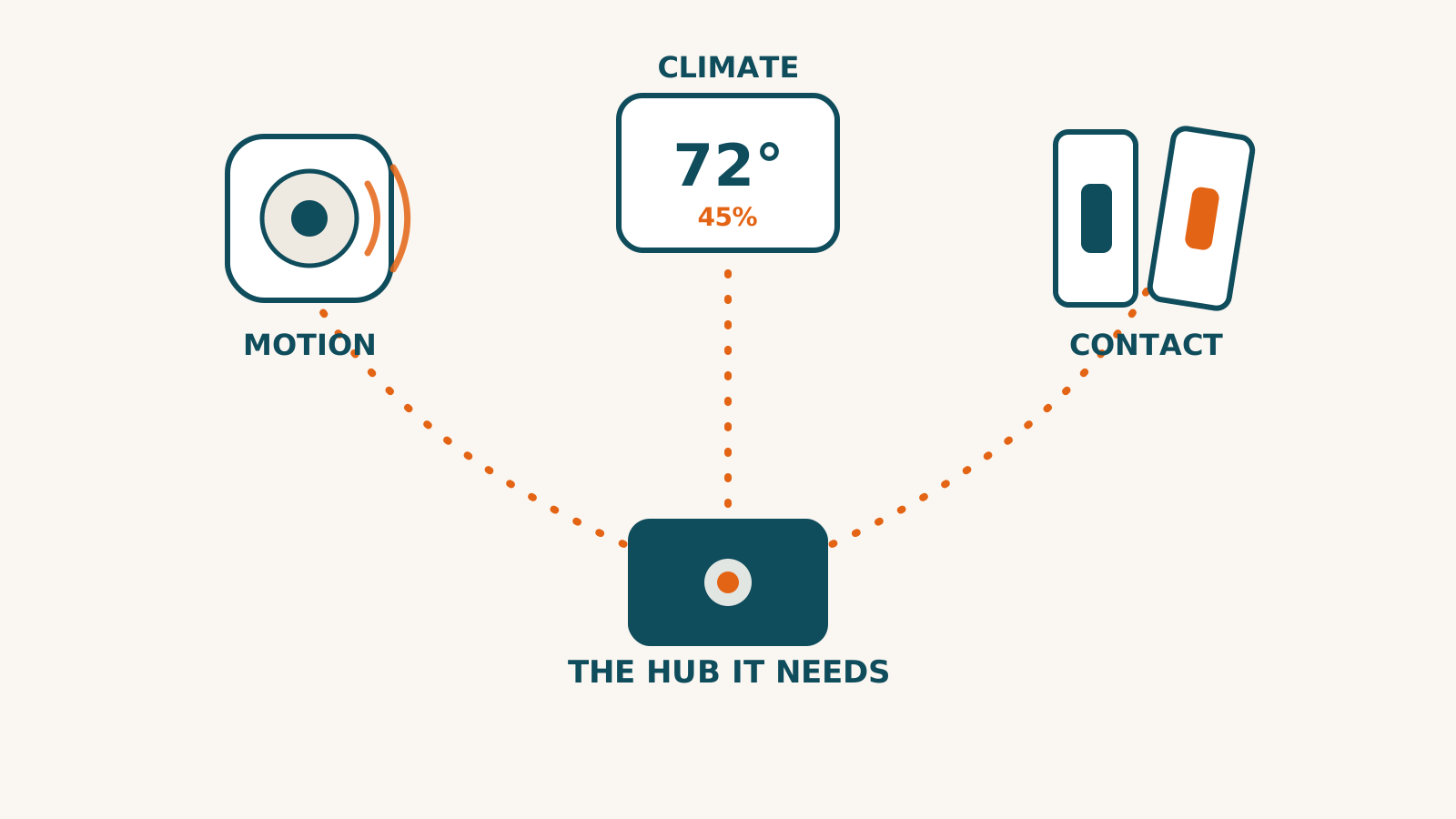
Sensors are the first category in our library where the device on the shelf is only half the purchase. Ten of the eleven products below are inert or crippled without a specific second box, and which box differs by brand. So this directory leads with the column most sensor pages bury: what each one needs before it works. Every cell renders live from the same sourced records behind our compatibility checker.
| Product | ~Price* | Amazon Alexa | Google Home | Apple Home | SmartThings | Home Assistant | Connection | Hub needed | Works offline | Subscription | Details |
|---|---|---|---|---|---|---|---|---|---|---|---|
| IKEA MYGGBETT Door/Window Sensor✓ fully verified | $11.99 | worksAmazon Alexa: works | worksGoogle Home: works | worksApple Home: works | worksSmartThings: works | worksHome Assistant: works | Thread · Matter | Yes | Yes | — | |
IKEA MYGGBETT Door/Window Sensor — the catch, per ecosystem ~$11.99 at time of research — never treated as a live price
Connection: Thread · Matter · Hub for full use: Yes (Matter controller plus a Thread border router before phone or app control works — IKEA's page states you need a Thread Border Router such as its DIRIGERA hub. Per IKEA's compatibility statement, smart systems from Amazon, Apple, Google, Homey and Samsung apply, using that platform's own Thread border router. A hubless path exists and IKEA's manual documents it: the sensor pairs directly to IKEA smart products, 'a maximum of 10 smart products from IKEA' by direct pairing.) · Works offline: Yes — the core function runs on the device or your home network | |||||||||||
| IKEA MYGGSPRAY Wireless Motion Sensor✓ fully verified | $11.99 | worksAmazon Alexa: works | worksGoogle Home: works | worksApple Home: works | worksSmartThings: works | worksHome Assistant: works | Thread · Matter | Yes | Yes | — | |
IKEA MYGGSPRAY Wireless Motion Sensor — the catch, per ecosystem ~$11.99 at time of research — never treated as a live price
Connection: Thread · Matter · Hub for full use: Yes (Matter controller plus a Thread border router before phone or app control works — IKEA's page states you need a Thread Border Router, its DIRIGERA hub the stated example. Per IKEA's compatibility statement, smart systems from Amazon, Apple, Google, Homey and Samsung apply, using that platform's own Thread border router. A hubless path exists and IKEA's manual documents it: the sensor pairs directly to 'a maximum of 10 smart products from IKEA' by direct pairing.) · Works offline: Yes — the core function runs on the device or your home network Full sourced profile for IKEA MYGGSPRAY Wireless Motion Sensor → | |||||||||||
| IKEA TIMMERFLOTTE Temperature/Humidity Sensor✓ fully verified | $11.99 | worksAmazon Alexa: works | worksGoogle Home: works | worksApple Home: works | worksSmartThings: works | worksHome Assistant: works | Thread · Matter | Yes | Yes | — | |
IKEA TIMMERFLOTTE Temperature/Humidity Sensor — the catch, per ecosystem ~$11.99 at time of research — never treated as a live price
Connection: Thread · Matter · Hub for full use: Yes (For anything beyond the on-device display: a Matter controller plus a Thread border router — IKEA's page says you need a Thread Border Router to control it through your phone, its DIRIGERA hub the stated example. The press-to-read display itself works with no hub at all; CSA's product description confirms it functions as a standalone device or in a Matter network.) · Works offline: Yes — the core function runs on the device or your home network Full sourced profile for IKEA TIMMERFLOTTE Temperature/Humidity Sensor → | |||||||||||
| SwitchBot Contact Sensor✓ fully verified | $16.99 | partialAmazon Alexa: partial support — see the catch | partialGoogle Home: partial support — see the catch | partialApple Home: partial support — see the catch | partialSmartThings: partial support — see the catch | worksHome Assistant: works | Bluetooth | Yes | Yes | — | |
SwitchBot Contact Sensor — the catch, per ecosystem ~$16.99 price at time of research (2026-08-09) for the 1-pack, read from SwitchBot's own store data. The multi-packs carry NO bulk discount — 2-pack $33.98 and 4-pack $67.96 are exactly 2x and 4x the single — so buying more saves nothing but shipping. A 13% promotional code was live on the page and is deliberately not recorded as the price.
Connection: Bluetooth · Hub for full use: Yes (Works standalone over Bluetooth LE with the SwitchBot app (local open/close alerts; SwitchBot states Android users need a hub even for push alerts). A SwitchBot hub is required for remote notifications, Alexa/Google Assistant/IFTTT, and SwitchBot-ecosystem automations; Matter exposure specifically requires Hub 2, Hub 3, or Hub Mini Matter Enabled.) · Works offline: Yes — the core function runs on the device or your home network | |||||||||||
| Aqara Door and Window Sensor P2✓ fully verified | $29.99 | worksAmazon Alexa: works | worksGoogle Home: works | worksApple Home: works | worksSmartThings: works | worksHome Assistant: works | Thread · Matter | Yes | Yes | — | |
Aqara Door and Window Sensor P2 — the catch, per ecosystem ~$29.99 price at time of research, read from Aqara's own US store on 2026-08-08, listed in stock that day
Connection: Thread · Matter · Hub for full use: Yes (You need a hub that is both a Matter controller and a Thread border router before this sensor does anything. Aqara says so outright. A HomePod mini, a Thread-capable Apple TV 4K (the Wi-Fi + Ethernet model), a Nest Hub (2nd gen), a newer Echo or Aqara's own Hub M3 all qualify. There is no Zigbee version and no way to use it without one of those.) · Works offline: Yes — the core function runs on the device or your home network | |||||||||||
| SwitchBot Meter Pro✓ fully verified | $29.99 | worksAmazon Alexa: works | worksGoogle Home: works | worksApple Home: works | worksSmartThings: works | worksHome Assistant: works | Bluetooth | Yes | Yes | Optional* | |
SwitchBot Meter Pro — the catch, per ecosystem ~$29.99 price at time of research (2026-08-09), read from SwitchBot's own store data — single configuration, no pack variants. A 30% promotional code was live on the page and is deliberately not recorded as the price.
Connection: Bluetooth · Hub for full use: Yes (Works standalone over Bluetooth LE: on-device display, app readings, alerts, and 68 days of local data need no hub. A SwitchBot hub is required for remote access, Alexa/Google Home/SmartThings/IFTTT, the on-screen weather forecast, and Matter; Matter specifically requires Hub 2, Hub 3, or Hub Mini Matter Enabled.) · Works offline: Yes — the core function runs on the device or your home network | |||||||||||
| SwitchBot Presence Sensor✓ fully verified | $29.99 | worksAmazon Alexa: works | partialGoogle Home: partial support — see the catch | partialApple Home: partial support — see the catch | partialSmartThings: partial support — see the catch | worksHome Assistant: works | Bluetooth | No | Yes | — | |
SwitchBot Presence Sensor — the catch, per ecosystem ~$29.99 SwitchBot's own US store price for the sensor on its own, checked again on 2026-09-17 and unchanged from what we recorded on 2026-07-19 — a price at the time of research, never a live price. The bundle figures that follow are from the earlier 2026-07-19 check and were not looked at again: the other 'Presence Sensor' listings are bundles of the same unit (Hub Mini Matter combo $59.99, Bot 2-in-1 $52.99, 2-pack $54.99).
Connection: Bluetooth · Hub for full use: No — verified that none is needed · Works offline: Yes — the core function runs on the device or your home network | |||||||||||
| Aqara Motion and Light Sensor P2✓ fully verified | $33.99 | partialAmazon Alexa: partial support — see the catch | worksGoogle Home: works | worksApple Home: works | worksSmartThings: works | worksHome Assistant: works | Thread · Matter | Yes | Yes | — | |
Aqara Motion and Light Sensor P2 — the catch, per ecosystem ~$33.99 $33.99 read from Aqara's own store structured offer data on 2026-08-08 (SKU DTC-US-SN-MLSP2), single unit, in stock. Never treated as a live price. Corrected from $34, a migrated figure nobody had independently checked — the gap is a rounding, which is worth saying plainly because most of this docket's corrections have not been.
Connection: Thread · Matter · Hub for full use: Yes (Thread border router (HomePod mini or a Wi-Fi + Ethernet Apple TV 4K, Nest Hub 2nd gen, newer Echo devices, SmartThings hubs with Thread, or an Aqara Hub M3) plus a Matter controller in your ecosystem. No Aqara hub required — but adding an Aqara Hub M3 unlocks custom detection timeout, sensitivity tuning, and local alerts via Aqara Home.) · Works offline: Yes — the core function runs on the device or your home network | |||||||||||
| THIRDREALITY Smart Presence Sensor R2 | $39.99 | partialAmazon Alexa: partial support — see the catch | inconclusiveGoogle Home: we researched this and the evidence does not settle it — the profile has the sources | inconclusiveApple Home: we researched this and the evidence does not settle it — the profile has the sources | worksSmartThings: works | worksHome Assistant: works | Zigbee | Yes | ? | — | |
THIRDREALITY Smart Presence Sensor R2 — the catch, per ecosystem ~$39.99 thirdreality.com listed the Smart Presence Sensor R2 at $39.99 on 2026-08-14, and the same figure still shows as the regular price on 2026-09-18. It was not a discount: the 'compare at' price shown was the same as the selling price. Price at time of research, never a live price. ⚠ THE PRICE DOES NOT BUY ONE TODAY: on 2026-09-18 the maker's own store shows the sensor as 'Sold out'. Nothing on the page says the model is discontinued, so this reads as a stock gap rather than an end of sale — but it is the maker's own storefront, and it is the only place we have seen this sensor sold.
Connection: Zigbee · Hub for full use: Yes (A Zigbee hub or coordinator is REQUIRED — the vendor states 'Requires a compatible Zigbee hub or coordinator' and names the platforms it supports: 'Home Assistant (ZHA or Zigbee2MQTT), SmartThings, Aeotec, Homey, Hubitat, and Echo devices with built-in Zigbee hubs'. There is no direct-to-phone or Wi-Fi mode.) · Works offline: Not checked — we have not established whether this keeps working without the internet Full sourced profile for THIRDREALITY Smart Presence Sensor R2 → | |||||||||||
| Meross Matter Smart Presence Sensor (MS600) | $40.99 | worksAmazon Alexa: works | worksGoogle Home: works | worksApple Home: works | inconclusiveSmartThings: we researched this and the evidence does not settle it — the profile has the sources | inconclusiveHome Assistant: we researched this and the evidence does not settle it — the profile has the sources | Matter · Wi-Fi | Yes | ? | — | |
Meross Matter Smart Presence Sensor (MS600) — the catch, per ecosystem ~$40.99 at time of research — $40.99 on Meross's own US store, read 2026-08-31, with the US/CA, EU, UK and AU variants all listed at the same figure. Never treated as a live price.
Connection: Matter · Wi-Fi · Hub for full use: Yes (No Meross hub and no Meross bridge — the sensor joins a 2.4GHz Wi-Fi network directly, and the words 'hub' and 'bridge' do not appear on its product page at all. ⚠ Stated as the vendor states it, and no further: Meross says the sensor reaches HomeKit, Alexa and Google Home 'through the Matter framework', and it does not say on this page what a Matter setup needs at the controller end. Nothing about a Matter controller is asserted here because no source read for this record states it about this model.) · Works offline: Not checked — we have not established whether this keeps working without the internet Full sourced profile for Meross Matter Smart Presence Sensor (MS600) → | |||||||||||
| Eve Door & Window (3rd generation, Matter)✓ fully verified | $43.95 | worksAmazon Alexa: works | worksGoogle Home: works | worksApple Home: works | worksSmartThings: works | worksHome Assistant: works | Thread · Matter | Yes | Yes | — | |
Eve Door & Window (3rd generation, Matter) — the catch, per ecosystem ~$43.95 at time of research — never treated as a live price
Connection: Thread · Matter · Hub for full use: Yes (Thread border router + Matter controller — Eve's own wording: 'this Matter-enabled device requires a hub that supports both Thread and Matter.' For Apple Home: HomePod (2nd gen), HomePod mini, or a Thread-capable Apple TV 4K (the Wi-Fi + Ethernet model); for other ecosystems, that platform's Matter controller with Thread border router.) · Works offline: Yes — the core function runs on the device or your home network Full sourced profile for Eve Door & Window (3rd generation, Matter) → | |||||||||||
| Philips Hue Motion Sensor (indoor)✓ fully verified | $48.99 | worksAmazon Alexa: works | worksGoogle Home: works | worksApple Home: works | partialSmartThings: partial support — see the catch | worksHome Assistant: works | Zigbee | Yes | Yes | — | |
Philips Hue Motion Sensor (indoor) — the catch, per ecosystem ~$48.99 at time of research — never treated as a live price
Connection: Zigbee · Hub for full use: Yes (Philips Hue Bridge (required — the official product page states a Bridge is required for the Motion sensor; there is no Bluetooth-only mode for this accessory)) · Works offline: Yes — the core function runs on the device or your home network Full sourced profile for Philips Hue Motion Sensor (indoor) → | |||||||||||
| Eve Motion (3rd generation, Matter)✓ fully verified | $54.95 | worksAmazon Alexa: works | worksGoogle Home: works | worksApple Home: works | worksSmartThings: works | worksHome Assistant: works | Thread · Matter | Yes | Yes | — | |
Eve Motion (3rd generation, Matter) — the catch, per ecosystem ~$54.95 at time of research — never treated as a live price
Connection: Thread · Matter · Hub for full use: Yes (Thread border router + Matter controller — Eve's own wording: 'This Matter-enabled device requires a hub that supports both Thread and Matter.' For Apple Home Eve names HomePod (2nd gen), HomePod mini, or Apple TV 4K (only the Wi-Fi + Ethernet model has Thread); for Alexa/Google/SmartThings, that ecosystem's Matter controller with Thread border router.) · Works offline: Yes — the core function runs on the device or your home network Full sourced profile for Eve Motion (3rd generation, Matter) → | |||||||||||
| Aqara Presence Sensor FP2 | $82.99 | partialAmazon Alexa: partial support — see the catch | partialGoogle Home: partial support — see the catch | worksApple Home: works | inconclusiveSmartThings: we researched this and the evidence does not settle it — the profile has the sources | worksHome Assistant: works | Wi-Fi | No | Partly | — | |
Aqara Presence Sensor FP2 — the catch, per ecosystem ~$82.99 $82.99 read from Aqara's own store structured offer data on 2026-08-08 (SKU DTC-US-SN-PSFP2), single unit, in stock. Never treated as a live price. Corrected from $83 — a rounding.
Connection: Wi-Fi · Hub for full use: No — verified that none is needed · Works offline: Partly — some of it keeps working without the internet and some of it does not | |||||||||||
| Eve Room Indoor Air Quality Monitordiscontinued | — | inconclusiveAmazon Alexa: we researched this and the evidence does not settle it — the profile has the sources | inconclusiveGoogle Home: we researched this and the evidence does not settle it — the profile has the sources | worksApple Home: works | inconclusiveSmartThings: we researched this and the evidence does not settle it — the profile has the sources | inconclusiveHome Assistant: we researched this and the evidence does not settle it — the profile has the sources | Thread · Bluetooth | Yes | ? | ? | |
Eve Room Indoor Air Quality Monitor — the catch, per ecosystem
Connection: Thread · Bluetooth · Hub for full use: Yes (No to read it, yes for almost everything else, and Eve sets the boundary out in a section of its own. 'This device does not require a hub for control right from your iPhone or iPad. Depending on what you want to do, a hub will unlock more advanced functionality:' - and the list is remote access, automation, notifications, and Thread itself. The hub Eve names is an Apple one: 'HomePod (2nd gen), HomePod mini or Apple TV 4K (2nd gen/3rd gen 128 GB) will unlock all of these benefits', with older models qualified as 'If you only want to enjoy Remote Access, Automations and Notifications, HomePod (1st gen) and previous Apple TV models will also offer this functionality.' The requirements list is blunter still: 'Controlling this HomeKit-enabled accessory automatically and away from home requires a HomePod or an Apple TV (4th generation or later) as a home hub.' Eve also says what kind of Thread device this is, which matters if you're planning a Thread network: Eve Room is 'a Minimal Thread Device (MTD)', a battery-powered device that doesn't pass along other accessories' signals, unlike Eve's wall-powered products.) · Works offline: Not checked — we have not established whether this keeps working without the internet Full sourced profile for Eve Room Indoor Air Quality Monitor → | |||||||||||
| No products in this category work with that ecosystem in our records yet. A Setup Check can research options outside our library. | |||||||||||
Sorted by price, low to high — an objective order, not a ranking or a verdict. Tap any row’s + (or a phone card) to read every catch. ✓ works · ◐ partial · ✗ doesn’t work (verified) · ? not checked yet · ? inconclusive — we researched it and the evidence doesn’t settle it. In the decision columns, ? means the same thing — we have not established it, which is never the same as “no.” *Prices at time of research — never live prices. Data last verified 2026-09-18; every fact links to its sourced profile.
Which of these works with your home?
Check sensors & detectors against your setup →
Don’t see the exact model you own? Two options, and they’re different:tell us and we’ll add it to the research queue (free), or get aSetup Check — a personalized, human-checked report that researches your whole list, including products we haven’t profiled yet.
The three infrastructure patterns
Matter-over-Thread, or nothing. The Aqara Door & Window P2 ($29.99), Aqara Motion & Light P2 ($33.99), Eve Motion ($54.95), and Eve Door & Window ($43.95) all take the same deal. You get no proprietary hub, wide five-ecosystem support, and local control. In exchange, they depend completely on a Thread border router plus Matter controller. Aqara’s listing says a border router “is required”; Eve’s wording is the same. IKEA’s 2025 wave now undercuts them all on price with the identical architecture: the MYGGSPRAY motion sensor, MYGGBETT contact sensor, and TIMMERFLOTTE climate sensor are $11.99 each, with two asterisks straight from the records: the required rechargeable AAA batteries are sold separately, and IKEA’s product pages skip the numbers you’d want. Its manuals don’t. Re-verifying MYGGSPRAY and MYGGBETT turned up a stated battery life of about 15 months for each, plus a detail the listing omits — MYGGBETT is indoor-only. Detection range and angle for the motion sensor are still unpublished anywhere. If you own a HomePod mini, a Wi-Fi + Ethernet Apple TV 4K, a Nest Hub, a newer Echo, or IKEA’s own DIRIGERA, you already have the infrastructure and all seven are plug-in easy. If you don’t, add that cost before comparing prices — our Thread border router guide covers which boxes qualify.
Bridge-locked. The Philips Hue Motion sensor ($48.99) is Zigbee behind the Hue Bridge, with no Bluetooth fallback. Everything it offers to HomeKit, Alexa, and Google flows through the Bridge. In a house already running Hue lighting that’s a feature: motion-to-light automations execute on the Bridge locally, and the sensor reads temperature and lux besides. As your first Hue product, budget the Bridge on top of the sensor — and note the ceiling Signify states in the sensor’s own specification, a maximum of 12 accessories per Bridge.
Bluetooth now, hub later. SwitchBot inverts the Thread deal. The Contact Sensor ($16.99) and Meter Pro ($29.99) work out of the box over Bluetooth with your phone in range, and that may genuinely be enough for a “did the garage door close” use case. The upgrade path is where the money is: remote notifications, voice assistants, and Matter each require a SwitchBot hub, and Matter specifically requires Hub 2, Hub 3, or the Hub Mini Matter Enabled. Cheap to start, priced to expand.
The outlier is the Aqara Presence Sensor FP2 ($82.99): straight to 2.4 GHz WiFi, no hub of any kind, and also no Matter and constant USB-C power. It’s a different instrument, mmWave presence rather than PIR motion. It knows someone is sitting still on the sofa, which is precisely the scenario where every PIR sensor above times out and turns the lights off on you. Zone setup lives in the Aqara app and takes real effort.
Reading the table honestly
One record carries ”?” in the SmartThings column, and it’s there on purpose. The FP2 does not appear in Aqara’s official SmartThings documentation, so we record unknown, which is a verified statement about the documentation rather than a guess in either direction. Community integrations may exist; our table only asserts what a primary source supports. The SwitchBot Contact Sensor used to sit beside it and no longer does. SwitchBot publishes a support article saying the SmartThings app gets door open and close from this sensor, plus its battery level. The light sensor and motion detection stay out, which is why that row now reads partial.
One subscription flag in the whole category, and it is confirmed. The Meter Pro stores 68 days of readings on the device and two years in the app, and SwitchBot’s spec table for it says what happens after that: “Storage beyond 2 years requires a payment for continued use.” An earlier version of this paragraph told you that sentence had disappeared from SwitchBot’s site. It had not — it moved. The page we first read it on is gone, and the clause now sits in the specifications table on the US product page, where we re-read it in September 2026. SwitchBot still publishes no price for it, so what you know is that a charge exists, that it arrives two years in at the earliest, and that its size is SwitchBot’s to announce.
Alexa households should check the partial marks. The Aqara Motion & Light P2 loses its light-sensor half in Alexa (motion carries over Matter; lux doesn’t), and SwitchBot’s voice support routes through its hub with scene-level rather than device-level depth on some combinations. Full rows and caveats live on each product page.
For renters
This is quietly the most renter-friendly category in the library: twelve of the fifteen sensors here run on batteries and mount with adhesive, so move-out is a thumbnail job, not a spackle job. The FP2 and the Meross MS600 are the exceptions, and only in needing a wall outlet. The real renter math is the infrastructure: a border router is yours and moves with you, which makes the Thread sensors a portable investment in a way hardwired gear never is.
Where to start
Pick the infrastructure pattern that matches what you already own, then the sensor. Thread border router in the house: IKEA’s $11.99 trio is now the cheapest way in (batteries sold separately), the Aqara P2 pair publishes detection range and angle where IKEA still publishes neither, and Eve uses friendlier AAA and AA cells against Aqara’s coin cells, per the records. If the IKEA motion sensor is going outside, check its record first: IP67 covers water and dust, but IKEA’s own operating range stops at 0 °C. Hue Bridge household: the Hue Motion slots in with zero new accounts. No infrastructure and no plans: SwitchBot starts at $17 today, with the upgrade costs stated up front. Run your exact combination through the checker, or take the starter quiz if you’re still choosing an ecosystem.
Frequently asked questions
Do Matter sensors need a hub?
The Matter-over-Thread sensors in our library (both Aqara P2 models, both Eve models, and all three IKEA sensors) need two things: a Thread border router and a Matter controller, often the same box. A HomePod mini, a Wi-Fi + Ethernet Apple TV 4K, a Nest Hub (2nd gen), newer Echo devices, an Aqara Hub M100, or IKEA's DIRIGERA all qualify. Without one, these sensors do nothing at all — except the IKEA TIMMERFLOTTE's on-device display, which reads out temperature and humidity hubless.
Which sensors work without any hub?
A few, with limits. The Aqara Presence Sensor FP2 connects straight to 2.4 GHz WiFi and needs constant USB-C power. The SwitchBot Contact Sensor and Meter Pro work over Bluetooth with your phone nearby; remote alerts, voice assistants, and Matter all require adding a SwitchBot hub. And the IKEA TIMMERFLOTTE shows temperature and humidity on its own display at a button press — but app readings and automations need a Thread border router.
Why does the Aqara motion sensor show partial Alexa support?
Matter carries motion detection to every ecosystem, but Alexa drops the light-level half of the sensor, per Aqara's own documentation. If lux-based automations matter to you, that column is the difference between full and partial.
What do the question marks in the table mean?
They mean we checked and the official documentation doesn't answer the question. The FP2 has no official SmartThings listing, so we record 'unknown' rather than guessing. A ? is a verified gap, not missing homework.
Sources for this guide· 11 product records
Product facts in this guide come from our provenance-tracked research records — every claim traces to a named source with the date we verified it. Dates matter: ratings, prices, certifications, and compatibility can change after we check them, so read anything time-sensitive as true as of the date shown, not guaranteed current. Spot something stale? Tell us and we'll fix it.
- Aqara Motion and Light Sensor P2 — record last verified 2026-08-08 · 21 sources, cited in full on its profile
- Aqara Presence Sensor FP2 — record last verified 2026-08-08 · 20 sources, cited in full on its profile
- Aqara Door and Window Sensor P2 — record last verified 2026-08-08 · 21 sources, cited in full on its profile
- Philips Hue Motion Sensor (indoor) — record last verified 2026-08-09 · 14 sources, cited in full on its profile
- Eve Motion (3rd generation, Matter) — record last verified 2026-08-09 · 16 sources, cited in full on its profile
- Eve Door & Window (3rd generation, Matter) — record last verified 2026-08-09 · 17 sources, cited in full on its profile
- SwitchBot Contact Sensor — record last verified 2026-08-09 · 20 sources, cited in full on its profile
- SwitchBot Meter Pro — record last verified 2026-08-09 · 18 sources, cited in full on its profile
- IKEA MYGGSPRAY Wireless Motion Sensor — record last verified 2026-08-22 · 19 sources, cited in full on its profile
- IKEA MYGGBETT Door/Window Sensor — record last verified 2026-08-22 · 21 sources, cited in full on its profile
- IKEA TIMMERFLOTTE Temperature/Humidity Sensor — record last verified 2026-08-22 · 19 sources, cited in full on its profile