Comparison
Lutron Caséta vs Kasa: Wiring, Hubs and Platform Routes
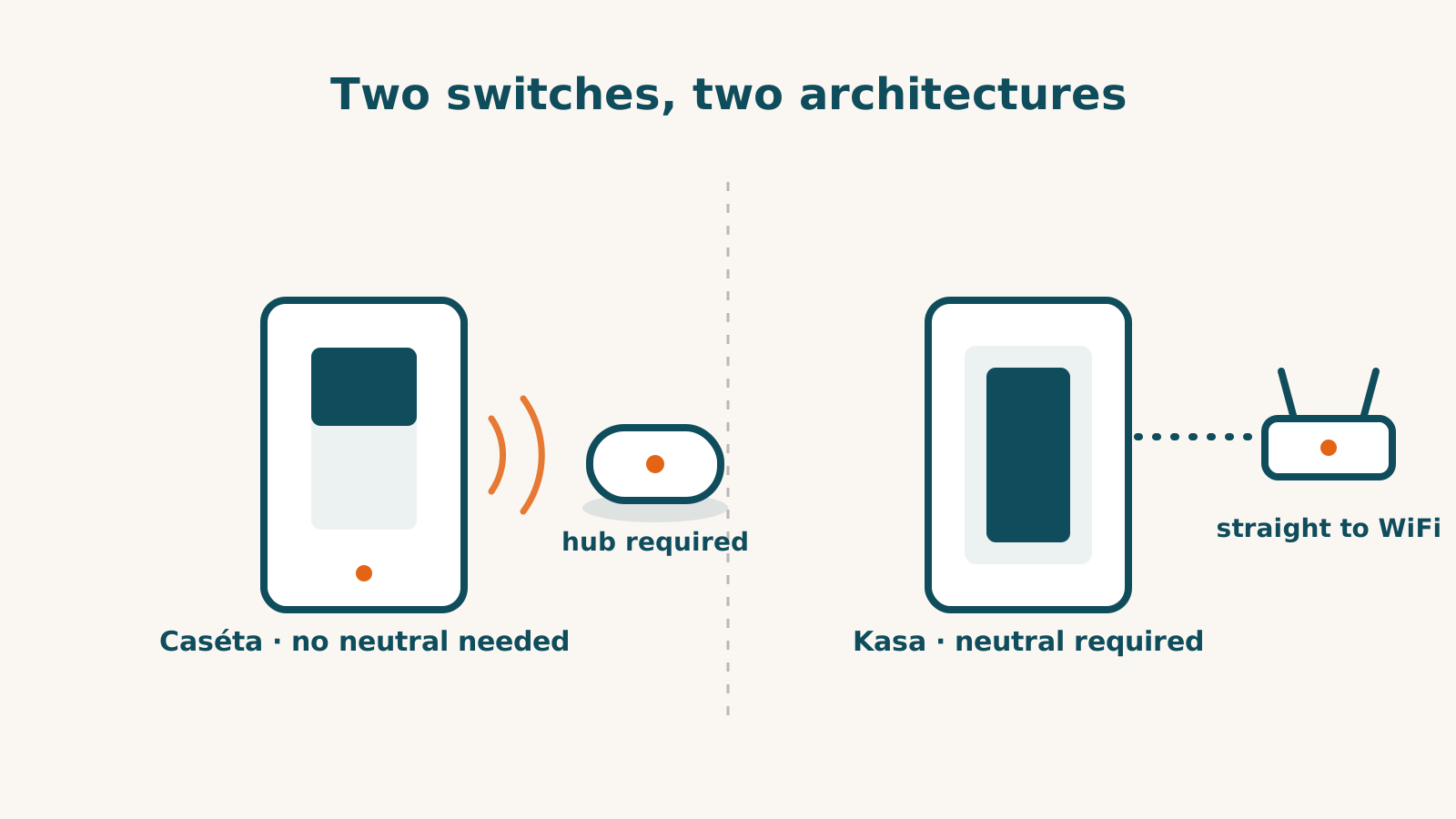
Compare Caséta Diva and Kasa KS225 against the wiring, load and functions you need. They use different hub and connection routes. Neither architecture establishes better reliability or a better result for every home.
This is dated compatibility research. It does not inspect your electrical system or test either switch.
Neutral and multi-location requirements
Diva requires no neutral wire or bypass device for its documented loads. KS225 requires a neutral and is single-pole only; its datasheet explicitly excludes three-way wiring. A house’s age or the presence of a white conductor does not settle either installation.
Diva documents wired three-way options and directly paired Pico remotes. A Pico can add another control point without wiring that remote, but the main dimmer still needs a suitable installation. Use the exact diagram, not a general instruction to replace either switch in a two-location circuit.
Caséta’s PD-5WS-DV is a no-neutral on/off model with load-adapter conditions. Where a neutral is present, Lutron recommends PD-5ANS or PD-6ANS. No-neutral support is a model requirement, not a guarantee that every bulb or load works.
Count the connection equipment
Caséta controls use Clear Connect. The Lutron Smart Hub or supported bridge supplies app, schedule and platform connections. Compatible local wall controls and direct Pico pairing have separate standalone functions.
KS225 joins 2.4 GHz Wi-Fi and has documented Matter support without a Kasa hub. On Apple Home, an iPhone on iOS 18 or later can add and control it over Matter without a home hub. A HomePod, HomePod mini or Apple TV is still needed to control it away from home, run automations and share control. Alexa, Google and SmartThings have TP-Link integration routes in the record; Home Assistant documents local TP-Link control.
A switch without a vendor hub still depends on the equipment and services in its chosen route. Do not describe it as immune to a single network failure or assume a house full of switches overwhelms a router.
Platform support has conditions
Both records reach the five platforms tracked here, but do not infer identical features or connection mechanisms. Caséta’s SmartThings route also needs a SmartThings hub and does not import Caséta scenes. Home Assistant’s Lutron integration talks locally to a supported bridge.
KS225’s datasheet documents LAN or Matter control during a household internet outage; its cloud account and remote functions are different routes. Caséta’s local wall controls and cloud voice functions similarly have different outage conditions.
The Kasa KS240 is a separate combined fan-and-light control requiring a neutral. It documents Apple Home without naming the exact protocol, Alexa and Google have partial function scope, and SmartThings is not supported in its record. Do not treat it as a KS225 with an extra fan output.
Finish the installation checks
Confirm the exact load, bulb dimming type, box depth and multi-location diagram. KS225 is rated for 150 W LED and 300 W incandescent with leading-edge dimming; those limits do not establish compatibility with every LED. Diva’s supported-load table is different.
Count any hub, controller, remote, mounting accessory and installation work. Then use the checker for platform conditions. The no-neutral guide and three-way guide explain the electrical questions to settle with the maker or installer before buying.
Frequently asked questions
Does Kasa KS225 need a neutral?
Yes. Its datasheet requires a neutral and states single-pole-only wiring. Do not assume the requirements of a different Kasa switch apply.
Does hub-free mean no controller is required?
No. KS225 needs no Kasa hub. On Apple Home, an iPhone on iOS 18 or later can add and control it over Matter without a home hub. A HomePod, HomePod mini or Apple TV is still needed to control it away from home, run automations and share control. Caséta uses a separate Lutron hub for platform connections.
Does every Kasa switch have Matter?
No such brand-wide claim is established. KS225 documents Matter; KS240’s Apple Home route is documented without a stated Matter mechanism and its other platform scope differs.
Sources for this guide· 6 product records
Product facts come from the linked research records; other cited sources appear below. Read each claim with its source date and any stated limit. Prices, features and support can change after a check. These are research profiles, not hands-on reviews.Report a correction if a source now gives a different answer.
- Lutron Caseta Diva Smart Dimmer (DVRF-6L) — record last verified 2026-08-10 · 51 sources, cited in full on its profile
- Lutron Caséta Wireless In-Wall Switch (PD-5WS-DV) — record last verified 2026-09-20 · 25 sources, cited in full on its profile
- Lutron Caséta Wireless In-Wall Switch (PD-5ANS) — record last verified 2026-09-20 · 45 sources, cited in full on its profile
- Lutron Pico Wireless Remote Control — record last verified 2026-10-03 · 41 sources, cited in full on its profile
- TP-Link Kasa Smart Wi-Fi Dimmer Switch KS225 (Matter) — record last verified 2026-09-30 · 42 sources, cited in full on its profile
- TP-Link Kasa Smart Ceiling Fan Control and Dimmer Switch (KS240) — record last verified 2026-09-25 · 26 sources, cited in full on its profile