Guide
Lutron Caséta: Check the Hub, Wiring and Pico Controls
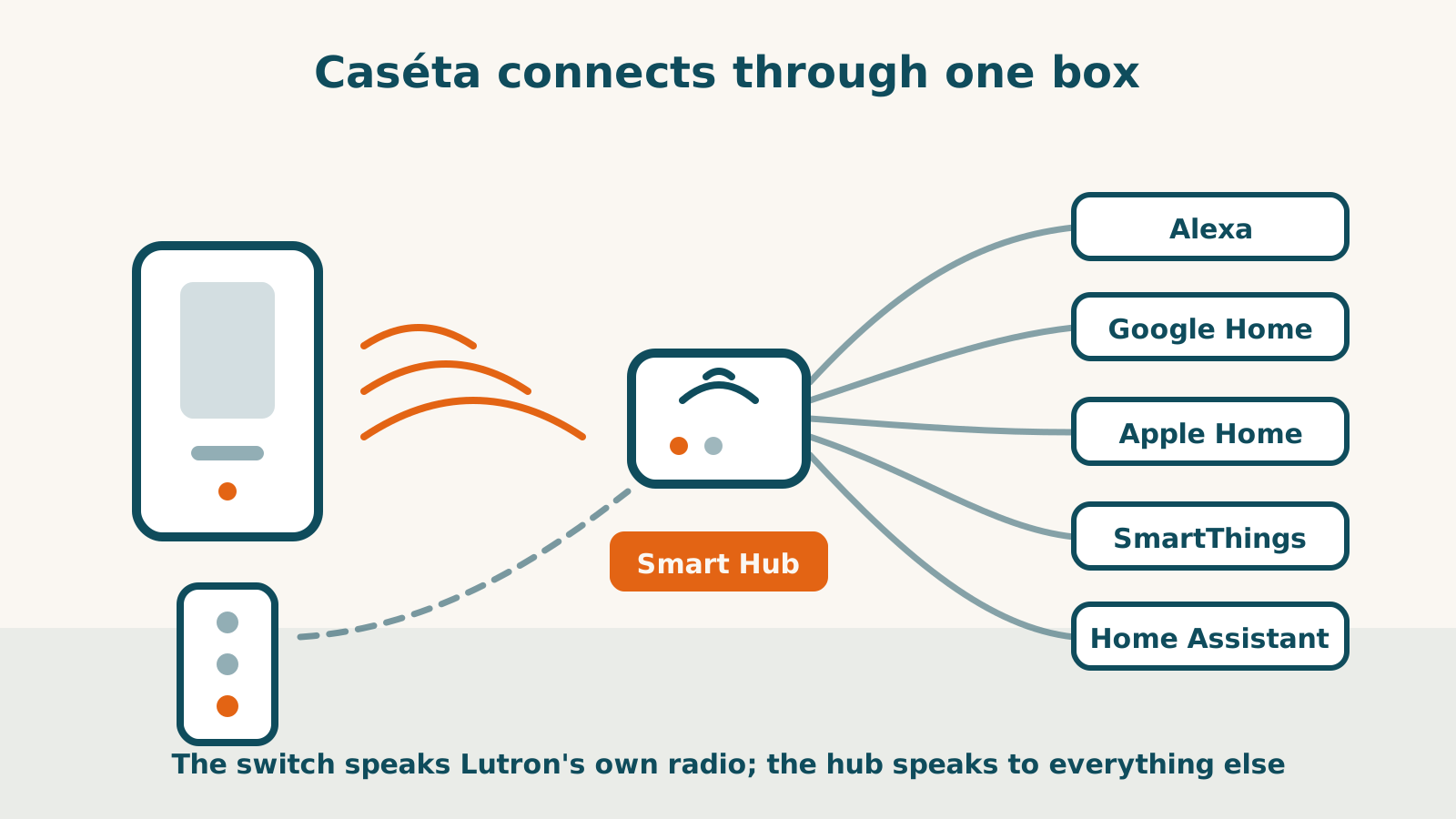
Caséta uses Lutron’s Clear Connect radio rather than joining your Wi-Fi directly. A supported Smart Hub or bridge provides app, schedule and platform access. Some wall controls and directly paired Pico remotes work without it, so “nothing smart without a hub” is too broad.
The following is dated research, not a reliability test. Confirm the exact model’s electrical specifications and installation instructions before choosing equipment.
The hub provides the platform connection
The Diva dimmer, PD-5ANS, PD-5WS-DV, Claro switch and fan-speed control have documented platform routes through the Lutron hub. A support label is not a radio inside each switch.
Lutron’s SmartThings instructions also require a SmartThings hub and at least one Lutron dimmer or shade. Caséta scenes cannot be imported there. Home Assistant documents its own local Caséta integration through named supported bridges; that is different from Lutron publishing a Home Assistant endorsement.
The Diva record separates local wall control from cloud-dependent remote access and Alexa/Google voice. A hub or radio label alone does not establish every function during an outage.
Choose the wall control by its exact requirements
| Model | Requirement to check |
|---|---|
| Diva DVRF-6L | No neutral or bypass required; supported dimmable loads, not ELV/MLV |
| PD-5ANS | Neutral required; its electrical ratings differ from the no-neutral model |
| PD-5WS-DV | No neutral required; certain load types need LUT-MLC and may still flicker or glow |
| Claro DVRF-5NS | Neutral required; on/off control, not dimming |
| PD-FSQN | Neutral required; specified compatible fan motor and load, with a Pico for its documented second control point |
Do not apply one model’s maximum load or ganging rule to another. The PD-5WS-DV has load limits that vary with ganging; PD-5ANS has different ratings and no ganging derating in its cited table. Use the exact specification rather than a category-wide wattage.
Lutron recommends PD-5ANS/PD-6ANS where a neutral is available rather than treating PD-5WS-DV as the default. That is the maker’s selection guidance, not our comparative performance finding.
Pico pairing and platform triggers are separate
The Pico remote can pair directly with supported Lutron controls without a hub. Diva and Claro document up to ten directly paired Picos. Mounting accessories are sold separately. Lutron’s ten-year battery claim has stated conditions; it is not measured runtime in your home.
Pico does not appear as a controllable device in Apple Home or SmartThings. Its record applies Lutron’s load-controller exposure model to Alexa and Google too. Home Assistant’s supported bridge integration exposes button triggers, so a configured automation can reach other devices that Home Assistant controls. Do not promise every advanced press type on every bridge generation.
A wireless second control avoids wiring at that added control point, not the wiring of the main switch. See the multi-location guide for the exact routes.
Shades and range need separate checks
Serena shades also use Clear Connect and can use a directly paired Pico. Platform access needs the supported hub. Position control is unconfirmed on Alexa, Google, Apple Home and SmartThings in their record; a hub’s platform list does not prove every shade function.
Check the model’s published range and the house layout. Nominal radio reach is not a coverage guarantee through your walls. Shade battery claims also vary by configuration and cycles per day.
The reviewed Caséta sources establish no Matter route or required subscription for these functions. Neither observation promises lifetime service, future firmware or reliability. Compare the Kasa routes, then use the checker for recorded platform conditions. Electrical suitability still needs the maker’s exact instructions.
Frequently asked questions
Does every Caséta function require a hub?
No. Compatible wall controls and directly paired Pico remotes have documented standalone functions. App access, schedules, scenes and platform connections use the Smart Hub or supported bridge.
Can a Pico start any platform’s routine?
Not from every connection. The record excludes it as a device in Apple Home and SmartThings and applies Lutron’s load-controller exposure model to Alexa and Google. Home Assistant documents Pico button triggers through a supported bridge.
Does Caséta have a documented Matter route?
The reviewed Caséta compatibility page does not establish one. Do not assume a future update or a Matter fallback. Local wall and direct-remote functions are separate.
Sources for this guide· 7 product records
Product facts come from the linked research records; other cited sources appear below. Read each claim with its source date and any stated limit. Prices, features and support can change after a check. These are research profiles, not hands-on reviews.Report a correction if a source now gives a different answer.
- Lutron Caseta Diva Smart Dimmer (DVRF-6L) — record last verified 2026-08-10 · 51 sources, cited in full on its profile
- Lutron Caséta Wireless In-Wall Switch (PD-5ANS) — record last verified 2026-09-20 · 45 sources, cited in full on its profile
- Lutron Caséta Wireless In-Wall Switch (PD-5WS-DV) — record last verified 2026-09-20 · 25 sources, cited in full on its profile
- Lutron Claro Smart Switch for Caséta (DVRF-5NS) — record last verified 2026-10-03 · 35 sources, cited in full on its profile
- Lutron Caséta Smart Fan Speed Control Switch (PD-FSQN) — record last verified 2026-10-04 · 39 sources, cited in full on its profile
- Lutron Pico Wireless Remote Control — record last verified 2026-10-03 · 41 sources, cited in full on its profile
- Lutron Serena Smart Shades — record last verified 2026-09-30 · 28 sources, cited in full on its profile