Smart garage controllers: opener and platform requirements
By SmartHomeWorkflow Team · Last updated 2026-10-10
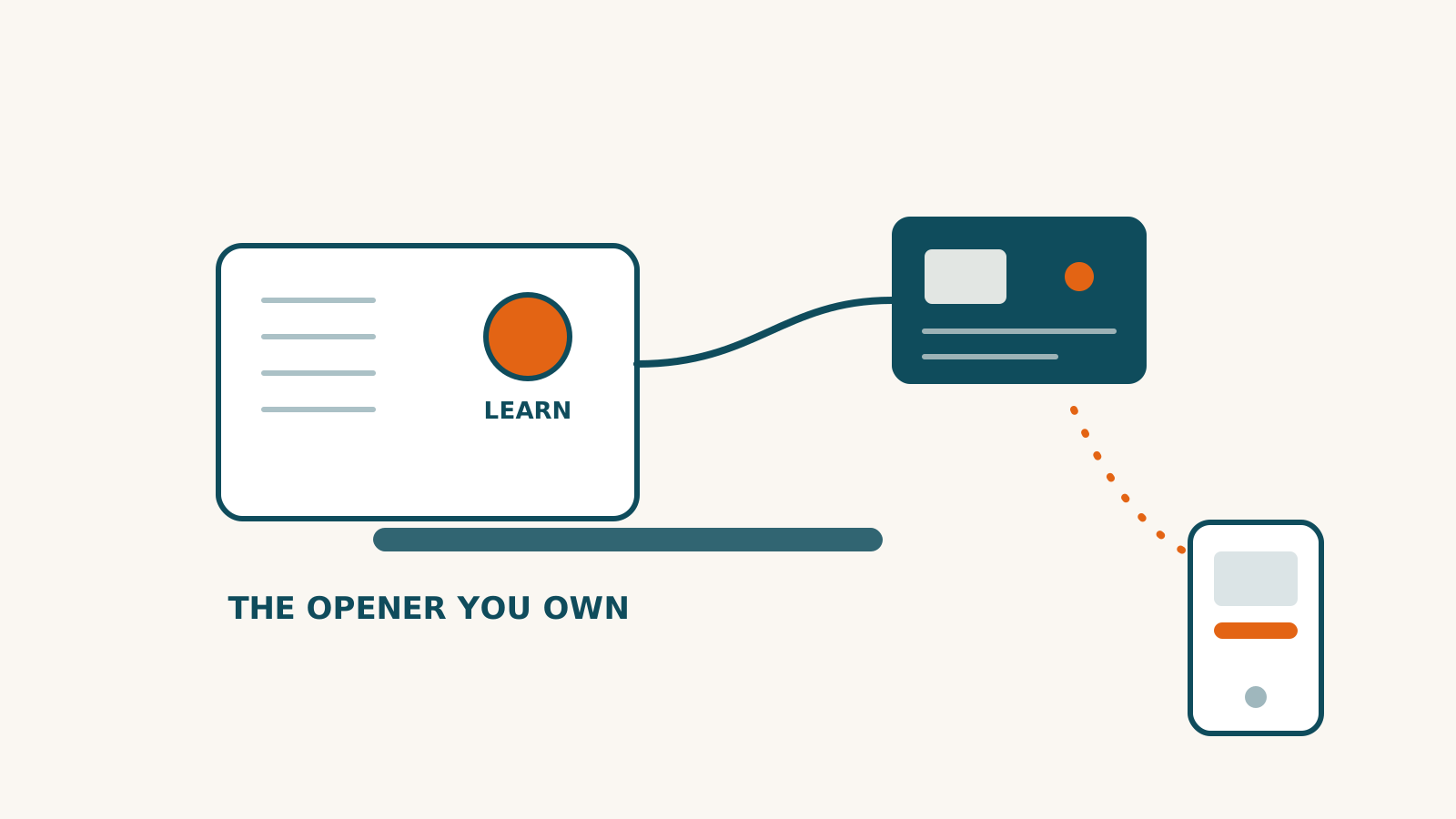
Check the opener you own, then the platform you want to use. A controller can support your platform and still be incompatible with the motor unit or wall control in your garage.
The table shows researched product records. It does not certify an installation or report hands-on testing.
◐PartialAmazon Alexa: Partial support — see the catch
◐PartialGoogle Home: Partial support — see the catch
◐PartialApple Home: Partial support — see the catch
◐PartialSmartThings: Partial support — see the catch
✓WorksHome Assistant: Works with this ecosystem
Matter · Wi-Fi · Bluetooth
No
Partly
—
SwitchBot Garage Door Opener — the catch, per ecosystem ~$36 $35.99 is the single-unit price on SwitchBot's own US store, read 2026-09-26, with no discount code showing. Two-packs are $69.99 and four-packs $139.99. Amazon listed it at $24.99 when we first researched it on 2026-07-19; we have not been able to re-check Amazon's page since, so treat that as an old figure rather than a price you can count on.
◐ Amazon Alexa: Partial — Exposed as a switch rather than as a garage door device type. That has a consequence beyond cosmetics: Alexa's voice guardrails for garage doors — PIN entry and spoken confirmation — attach to the proper device type, and whether they apply to a device presenting as a switch is UNKNOWN and should not be assumed. A buyer who expects Alexa to ask for a PIN before opening their garage should verify it rather than rely on it.
◐ Google Home: Partial — Same switch semantics as Apple and Alexa; no native garage-door trait was confirmed. Google's own garage-door handling, including its open-by-voice PIN requirement, is tied to the correct device type, so the protections a buyer might expect may not be present on a device presenting as a switch.
◐ Apple Home: Partial — It connects, but it does not appear as a garage door. SwitchBot's own screenshots depict it in Apple Home as a plain on/off switch DECOUPLED from the contact sensor, so the tile cannot show true open or closed state, and owner reviews on SwitchBot's own product page report it surfacing as a switch ('I wish the app and Apple home will see it as a device rather than a switch', 2026-07-15) or as a lock ('It currently shows up as a lock (like door lock) instead of a garage door opener', 2026-04-30). Siri 'open garage' is reported to work, but you lose the garage-specific interface and Apple Home's own safety confirmation behaviour for garage doors. Recorded as partial rather than full for that reason: the connection is real, the device type is wrong.
◐ SmartThings: Partial — Listed as supported and connects over Matter. SmartThings is reported to be the ecosystem most likely to have shipped support for the Matter 1.5 Closures cluster — but that improvement cannot reach this device, because the device does not EXPOSE closures. It presents as a switch, so the ecosystem being ready makes no difference here. This is the sharpest illustration of the gap between a Matter-certified part inside a product — here the Relay Switch 1 — and Matter garage support.
✓ Home Assistant: Works — The one ecosystem that treats this as an actual garage door, and it does so without a hub and without the cloud. Home Assistant's own integration documentation lists 'Garage Door Opener' among the devices that receive COVER entities, and states that a SwitchBot hub is not required — so Home Assistant gives it the garage-door abstraction that every Matter ecosystem withholds. Two catches: it needs working Bluetooth on the Home Assistant host with BLE range to the garage, which is a real constraint for a detached or distant garage; and taking the Matter over Wi-Fi route into Home Assistant instead would yield only a switch, so the local Bluetooth path is the one that matters. Worth noting the irony plainly — the platform Chamberlain blocked is the one that handles this product correctly.
Connection: Matter · Wi-Fi · Bluetooth · Hub for full use: No (No SwitchBot hub is required. The opener joins your Wi-Fi network directly, with Bluetooth as a backup control path, and the Matter route needs no SwitchBot hub either, because the Relay Switch 1 inside it is itself a Matter-over-Wi-Fi device. It also works as a Bluetooth gateway: SwitchBot says it keeps up to 10 other SwitchBot Bluetooth devices connected in the SwitchBot app, and that up to 2 of them can be brought into a Matter app such as Apple Home, Google Home, Alexa or SmartThings. READ THE MATTER LISTING CAREFULLY, THOUGH: the Matter certificate belongs to the Relay Switch 1 inside the kit, and it certifies an on/off switch. The garage door opener itself isn't listed. That distinction is the whole story of this product, and it is spelled out below in what to watch out for.) · Works offline: Partly — some of it keeps working without the internet and some of it does not
◐Works; open/close unconfirmedAmazon Alexa: Works; open/close unconfirmed — see the catch
◐Works; open/close unconfirmedGoogle Home: Works; open/close unconfirmed — see the catch
✓WorksApple Home: Works with this ecosystem
◐PartialSmartThings: Partial support — see the catch
?InconclusiveHome Assistant: We researched this and the evidence doesn't settle it — the catch explains why
Wi-Fi
No
?
—
Meross Smart Wi-Fi Garage Door Opener (MSG100) — the catch, per ecosystem ~$49.99 $49.99 for the US model MSG100HK-US, read from Meross's own store on 2026-08-08. Never treated as a live price.
◐ Amazon Alexa: Works; open/close unconfirmed — Meross connects this opener to Alexa through the Meross skill: you turn it on in the Alexa app and sign in with your Meross account. Meross doesn't say whether Alexa can open and close the door, so open/close is unconfirmed there. Amazon asks for a spoken PIN before Alexa opens any garage door by voice, while closing needs none; that is Amazon's rule, not Meross's.
◐ Google Home: Works; open/close unconfirmed — Meross connects this opener to Google Home when you link your Meross account through Works with Google in the Google Home app. Meross doesn't say whether Google can open and close the door, so open/close is unconfirmed there. Google asks for a PIN before it opens any garage door by voice, while closing needs none; that is Google's rule, not Meross's.
✓ Apple Home: Works — Native HomeKit — a real accessory in the Home app with Siri and CarPlay, not a cloud bridge, and the clearest single answer to Chamberlain having removed HomeKit from myQ. Check the model number before you buy: every MSG100 on Meross's own store carries an HK suffix, so buying direct gets you the HomeKit model, and anywhere else, look for HK in the model name. Remote access additionally needs an Apple home hub, which is Apple's requirement rather than Meross's.
◐ SmartThings: Partial — An official cloud-to-cloud linked service exists, but state synchronisation is chronically unreliable and has been for years. If the door is moved by anything other than SmartThings — the wall button, a remote, the Meross app — SmartThings frequently fails to update, which silently breaks any automation keyed to door state. SmartThings support has attributed it to expired callback tokens, and the fix is to unlink and relink, which destroys your existing automations. Reports run from 2023 through February 2026 with no resolution. ALSO DO NOT GENERALISE ACROSS THE FAMILY: Meross claims SmartThings for the MSG100 but not in the MSG150's copy.
? Home Assistant: Inconclusive — Not established. Meross names no Home Assistant route for this opener, and Home Assistant ships no Meross integration of its own. Community-built add-ons reach Meross garage openers, one of them over your own network, but neither Meross nor Home Assistant stands behind them.
Connection: Wi-Fi · Hub for full use: No (No hub or bridge — the opener joins your home Wi-Fi directly, and only on the 2.4 GHz band, so a network that broadcasts 5 GHz alone will not take it. Apple Home pairing is native rather than cloud-bridged. ONE CAVEAT THAT IS APPLE'S RULE, NOT MEROSS'S: opening or closing the door from away from home through the Home app needs an Apple home hub — a HomePod, HomePod mini or Apple TV. And the genuinely local Home Assistant route still needs a device key held in your Meross account, so 'no hub needed' is true while 'no cloud needed' is not.) · Works offline: Not checked — we have not established whether this keeps working without the internet
✗Doesn't workApple Home: Verified: does not work with this ecosystem
✓WorksSmartThings: Works with this ecosystem
◐PartialHome Assistant: Partial support — see the catch
Wi-Fi
No
?
—
Genie Aladdin Connect Smart Garage Door Controller — the catch, per ecosystem ~$50 $49.99 on Genie's own store, re-verified 2026-08-12 and in stock ('In Stock! Usually ships within 24 hours'), unchanged from the previous read. SKU 42869R for kit model ALKT2-R2. The additional door position sensor is a separate purchase. Never treated as a live price.
✓ Amazon Alexa: Works — Two live skills and a well-supported path. Opening by voice requires a spoken PIN, which is Amazon's rule for garage doors rather than a Genie limitation. It routes through servers, so it stops with your internet. Amazon Key In-Garage Delivery is separately supported, announced 2023-08-24, and is Prime-only with ZIP-code eligibility — noting honestly that Amazon's own compatibility page would not open for us, so that claim rests on Genie's page plus corroborating search results rather than on Amazon's own current statement.
✓ Google Home: Works — Works through Works-with-Google account linking under the name 'Genie Smart Garage'. Opening by voice requires a PIN and, unlike some implementations, it cannot be disabled — that is a safety feature rather than a defect, but it is worth knowing before you buy if you expected frictionless voice opening. Cloud-routed and fails in an outage.
✗ Apple Home: Doesn't work — No native Apple Home support, and — contrary to a widely repeated premise — no evidence that a HomeKit-enabled model ever shipped, so this is recorded as an absence rather than as a removal with a date. Genie's own 23-partner list includes 'Siri Shortcuts' but not Apple Home; the two are not equivalent, and Siri Shortcuts means running an app action by voice, not an accessory in the Home app with automations, hub access or sharing. Genie's support position is that there is no time frame for adding HomeKit. Apple Home access requires third-party Homebridge or HOOBS plugins.
✓ SmartThings: Works — Works-With-SmartThings certified, announced 2021-01-21, and the strongest of the mainstream integrations here. It has also quietly become the community's recommended bridge INTO Home Assistant, since Genie routes Home Assistant users through SmartThings rather than offering a direct free path. Cloud-to-cloud, so it fails in an internet outage, and it inherits any future SmartThings platform changes.
◐ Home Assistant: Partial — The most unusual arrangement in this category. Genie changed how its service works in January 2024 and broke the community integration; Home Assistant's own version failed to load in release 2024.7, and the rewrite needed sign-in credentials ordinary users could not obtain. The integration was then restored — and is now maintained by a GENIE EMPLOYEE as its code owner, built on a toolkit Genie publishes. The catch is what that restoration costs: Home Assistant's own documentation states it requires 'an active Home Assistant Cloud subscription, since the integration authenticates through it'. So the honest description is not 'removed' and not 'restored' but something in between — broken by the maker changing its own plumbing, then brought back under the maker's control behind a paid third-party subscription. It works through Genie's servers, so there is no local path. We call it partial for exactly that reason.
Connection: Wi-Fi · Hub for full use: No (No hub. The door control module joins 2.4 GHz Wi-Fi directly and itself acts as the hub for the wireless door position sensor that comes in the kit: Genie's own installation steps pair that sensor to the powered 'Door Control Hub'. This kit covers one door. Genie's page for this model says 'This kit is designed to upgrade one garage door opener.' and 'The Door Position Sensor (ALDPS-R) is not compatible with this model.', and the extra sensor Genie sells for second and third doors is that same ALDPS-R, which its own listing says works only with the first version of Aladdin Connect (39142R). Genie documents no way to add a second or third door to this model. 2.4 GHz only: Genie's FAQ for this kit says 'The hub works with 2.4 GHz networks' and tells you to make sure a network you type in by hand is a 2.4 GHz one. Bluetooth is used for setup and for the door sensor: Genie's FAQ says the app sets the hub up over Bluetooth, that Bluetooth switches off once the hub is on your Wi-Fi, and that the door sensor pairs with the hub over Bluetooth. Every platform connection runs between Genie's servers and the platform's; nothing documents a way to reach it on your own network.) · Works offline: Not checked — we have not established whether this keeps working without the internet
✗Doesn't workAmazon Alexa: Verified: does not work with this ecosystem
✗Doesn't workGoogle Home: Verified: does not work with this ecosystem
✓WorksApple Home: Works with this ecosystem
✗Doesn't workSmartThings: Verified: does not work with this ecosystem
◐Works; lock/unlock unconfirmedHome Assistant: Works; lock/unlock unconfirmed — see the catch
Wi-Fi
No
Yes
—
ratgdo32 — the catch, per ecosystem ~$62 $62.00 for the ratgdo32 (SKU 32k) on the vendor's own store at time of research. The ratgdo32 disco (SKU 32disco, $94.00) is the same garage control plus a laser vehicle-presence sensor, a beeper with adjustable close delay, a speaker and an aimable mount. Prices and stock were read from the store's own product listing data rather than marketing copy.
✗ Amazon Alexa: Doesn't work — No native support, stated plainly by the vendor's own FAQ: 'we don't support them natively.' The vendor names two middleware routes, Home Assistant or Node-RED, and for the Home Assistant route Home Assistant's own documentation says that leg requires either a paid Nabu Casa subscription or a manual Amazon Developer plus AWS Lambda setup with Home Assistant publicly exposed over HTTPS. Either way it reintroduces both a cloud dependency and a recurring cost — which defeats the entire reason to buy this device. Recorded as none rather than partial because there is no vendor-supported path at all.
✗ Google Home: Doesn't work — Same as Alexa: no native support per the vendor's own FAQ, Home Assistant or Node-RED as the middleware routes, and on the Home Assistant route the same cloud-and-subscription cost that negates the product's purpose. One additional detail from Google's side: Home Assistant's documentation notes that covers of device type door, garage or gate are treated as secure devices and 'cannot be opened by Google Assistant unless a secure_devices_pin code is set up' — closing needs no PIN, opening requires a spoken one.
✓ Apple Home: Works — Genuinely native and genuinely rare — the homekit-ratgdo32 firmware implements HomeKit Accessory Protocol on the board itself, and its README states it works 'over your local network using HomeKit… It requires no supporting infrastructure such as Home Assistant, Homebridge, MQTT, etc.' No bridge, no hub, no cloud. Three catches. First and most important, this firmware is MUTUALLY EXCLUSIVE with the ESPHome build, so choosing Apple Home means giving up the Home Assistant path on that board. Second, HomeKit itself has no stop action — the README says so plainly, 'there is no _stop_ command' — but the firmware adds one back as an optional extra HomeKit control on the ratgdo32 boards specifically (it is not offered on the older v2.5 boards). This record previously said only the first half, which understated the board it covers. Third, Apple Home's automation UI may only expose lock/unlock triggers for the accessory. ESP32 boards only; the older ESP8266 v2.5x cannot run it.
✗ SmartThings: Doesn't work — No official SmartThings support. The maker's FAQ covers HomeKit, Home Assistant and the cloud voice assistants, and never mentions SmartThings.
◐ Home Assistant: Works; lock/unlock unconfirmed — ratgdo's maker says its ESPHome firmware is the one for Home Assistant: Home Assistant discovers the board, adopts it, and then shows its garage door controls, all over your own network with no cloud. The maker does not say whether the lock control comes through to Home Assistant, so lock/unlock is unconfirmed there. Two catches: you need to run a Home Assistant setup, which is real ongoing work, and the ESPHome and native HomeKit firmware are mutually exclusive, so a household wanting both Apple Home and Home Assistant picks one or bridges from Home Assistant.
Connection: Wi-Fi · Hub for full use: No (No hub for the Apple Home path — the homekit-ratgdo32 firmware implements HomeKit Accessory Protocol on the device itself, so it appears in Apple Home directly with no bridge, no Homebridge and no Home Assistant. Every other ecosystem requires Home Assistant in the middle. The device needs local Wi-Fi but no vendor cloud and no account. FIRMWARE IS NOT INCLUDED and this is the most commonly misreported fact about the product: both product pages state 'Firmware not included', and the buyer flashes it themselves using a Chrome or Chromium web installer. The three firmware builds are mutually exclusive — flashing the HomeKit build means no ESPHome or Home Assistant integration on that board, and vice versa.) · Works offline: Yes — the core function runs on the device or your home network
◐PartialAmazon Alexa: Partial support — see the catch
✗Doesn't workGoogle Home: Verified: does not work with this ecosystem
✗Doesn't workApple Home: Verified: does not work with this ecosystem
✗Doesn't workSmartThings: Verified: does not work with this ecosystem
✗Doesn't workHome Assistant: Verified: does not work with this ecosystem
Wi-Fi
No
No
Optional*
Chamberlain myQ Smart Garage Control — the catch, per ecosystem ~$64.99 $64.99 on Chamberlain's own product page, checked 2026-08-28 and unchanged since 2026-07-19; retailer prices were not checked
◐ Amazon Alexa: Partial — There is no general-purpose myQ Alexa skill. What exists is Amazon Key In-Garage Delivery, which links the accounts so a driver can open the door; Chamberlain lists Amazon Key as a supported partner and documents the setup. It requires Prime and both apps, is limited to what Chamberlain calls 'several cities and their surrounding areas' in the US and Canada, and opening by voice requires a spoken PIN. Recorded as partial rather than full because 'works with Alexa' would overstate it: this is a delivery integration that happens to involve Alexa, not general voice control. We could not read Amazon's own Key page on the research day, so Amazon's current description of the programme is unverified and this rests on Chamberlain's documentation alone.
✗ Google Home: Doesn't work — Removed. Chamberlain discontinued the Google Assistant integration for new users after Google shut down the feature it relied on in June 2023, telling the press the integration 'is not a user-friendly experience'. Google Home now appears in the unsupported list on Chamberlain's own integrations article. People who were already linked may keep it working, but if they log out of Google they cannot relink; it is a decaying grandfather clause, and a new buyer gets nothing. We could not retrieve the Google community thread, so there is no Google-authored statement here; this rests on Chamberlain disclaiming its own integration plus trade press from the time.
✗ Apple Home: Doesn't work — There is no Apple Home support and no Matter path. The myQ Home Bridge, the accessory that provided it, was discontinued in August 2022; Chamberlain said under 1% of users used it. People who moved to the community Homebridge workaround were cut off in October 2023 when Chamberlain blocked third-party access. Chamberlain's own integrations article lists Apple HomeKit and Siri as unsupported. Watch the logo list: the same page shows Apple Watch as supported. That is the myQ app's own watch app, not Apple Home, and a buyer scanning logos will misread it.
✗ SmartThings: Doesn't work — Chamberlain's integrations article lists SmartThings as unsupported and discontinued. The community side agrees: the long-running community integration is archived and labelled obsolete in its own title. A successor exists but requires you to run a bridge program continuously on a computer at home, and it is exposed to the same blocking that killed its predecessor. There is no sanctioned path.
✗ Home Assistant: Doesn't work — Removed from Home Assistant core in release 2023.12 on 2023-12-06, announced by Home Assistant itself: 'we cannot continue to work around Chamberlain Group if they keep blocking access to third parties', with a maintainer describing 'a game of cat and mouse with MyQ and right now it looks like the cat is winning'. Home Assistant also states it declined authorised-partner status because it would require paying fees, which conflicts with its open-source model. Chamberlain's own position was published 2023-10-25 by CTO Dan Phillips, claiming unauthorised integrations came from 0.2% of myQ users yet generated more than half of platform traffic and 'at times constituted a substantial DDOS event'. Home Assistant's own recommended replacement is ratgdo — a local board that bypasses the cloud entirely.
Connection: Wi-Fi · Hub for full use: No (No separate hub; this device is the bridge. It joins your 2.4 GHz Wi-Fi and pairs with your existing opener through the opener's learn button, with a wireless sensor on the door to report open or closed. Bluetooth is used only during setup. A myQ account is mandatory and there is no documented way to control it on your home network, so Chamberlain's cloud is an unavoidable dependency. The myQ Home Bridge, the accessory that once added Apple Home, is discontinued; Chamberlain's own support article says so in its title.) · Works offline: No — the core function depends on the vendor's servers
◐PartialAmazon Alexa: Partial support — see the catch
◐PartialGoogle Home: Partial support — see the catch
✗Doesn't workApple Home: Verified: does not work with this ecosystem
◐PartialSmartThings: Partial support — see the catch
◐Works, by a limited routeHome Assistant: Works, by a limited route — see the catch
Wi-Fi · Bluetooth
No
?
—
Nexx Smart Wi-Fi Garage Door Controller (NXG-300) — the catch, per ecosystem ~$79.99 $79.99 on the maker's own store, re-read 2026-08-13: available, and the store shows no struck-through original, so this is the list price and not a promotion. Unchanged since 2026-07-19. The two predecessor models named in the federal advisory, NXG-100B and NXG-200, are still sold out. The stored figure was a rounded $80 until 2026-08-13.
◐ Amazon Alexa: Partial — Works through an Alexa smart-home skill, published under the maker's company name SimpalTEK, over the maker's cloud. The maker's own page carries a real limit: 'Routines are not available due to Amazon Restrictions', so the device cannot take part in Alexa Routines. Two skill generations exist with different phrasing: the older one needs 'Alexa, ask Nexx Garage to open garage door', the newer smart-home skill does not. We could not read the Amazon skill store pages, so the skill's rating, review count and last update are unknown.
◐ Google Home: Partial — Works through a cloud-to-cloud Google Home Action. Opening by voice requires a spoken PIN and it cannot be disabled; closing requires none. That is Google's safety behaviour for garage doors rather than a vendor limitation. Google's own works-with directory listing could not be retrieved, so the directory status is UNKNOWN and this rests on hands-on reporting plus the vendor's own materials.
✗ Apple Home: Doesn't work — Not an Apple Home accessory — it never appears in the Home app, and there is no HomeKit hub access, automation or sharing. The vendor's own NXG-300 page lists 'Siri' under Works With and makes no HomeKit claim, and its documentation describes Siri SHORTCUTS setup, which runs an app action by voice. So this is not a false vendor claim. But the retail listing title reads 'Compatible with Alexa, Google Assistant, Siri', which is accurate and easily misread by a buyer as Apple Home support.
◐ SmartThings: Partial — A cloud-to-cloud SmartThings connection exists under the brand NexxHome, and the maker states outright that it does not work with a SmartThings hub; there is no local path, only cloud to cloud. One forward-looking catch that also affects the Home Assistant workaround: per Home Assistant's own documentation, Samsung begins phasing out free third-party access to SmartThings in October 2026 in favour of a paid plan, so a route that is free today may not stay free.
◐ Home Assistant: Works, by a limited route — Nexx's help center carries a guide, contributed by a Nexx user, for reaching Home Assistant through SmartThings: you link the opener to SmartThings, then add Home Assistant's SmartThings integration, which the guide sets up with a Home Assistant Cloud subscription, and the opener appears in Home Assistant as a garage door. Nexx says the guide hasn't been fully tested by its team and is to be used at your own risk. It runs through two clouds, and Home Assistant has no Nexx integration of its own.
Connection: Wi-Fi · Bluetooth · Hub for full use: No (No hub; the controller joins your 2.4 GHz Wi-Fi directly. Bluetooth is advertised on the product page as 'New Bluetooth connectivity', and the maker's blog claims the predecessor works over Bluetooth so you can control the door when the internet is out. Treat that claim as thinly documented: the quick-start guide filed with the FCC does not mention Bluetooth at all, and the maker publishes nothing about its range, whether it works only with a phone nearby, or whether it reports status as well as opening the door. All of that is unknown. Every ecosystem connection runs through the maker's cloud; no way to control it on your own network is documented.) · Works offline: Not checked — we have not established whether this keeps working without the internet
◐PartialGoogle Home: Partial support — see the catch
◐PartialApple Home: Partial support — see the catch
✓WorksSmartThings: Works with this ecosystem
✓WorksHome Assistant: Works with this ecosystem
Wi-Fi
No
Yes
—
Smart Garage Door Opener blaQ — the catch, per ecosystem ~$89 $89.00 on Konnected's own US store (SKU KIT-GDOv2-Q), priced in US dollars and in stock, read 3 October 2026. Price at time of research, not a live price.
✓ Amazon Alexa: Works — Works through Konnected's free cloud service and its Alexa skill: you turn on Konnected Cloud in the device settings, enable the Konnected skill and sign in, and no Echo hub is needed. Two catches. First, this is the cloud half of the product, so the local-only setup that makes the device attractive to Home Assistant owners does not carry Alexa with it. Second, Amazon's own rules for garage doors say that after you ask Alexa to open one, 'Alexa asks What is your voice code? before opening the garage door', a step Konnected's setup page does not mention.
◐ Google Home: Partial — Same experimental Matter beta as before: Konnected's explicitly uncertified firmware, which renders the opener as blinds or shades in the controller app, with a Nest Hub or Nest Audio acting as the Matter controller, and Konnected states it has not tested the device against every Matter hub. Since 2026-08-22 that page also requires acceptance into Konnected's Matter early-access programme and a Konnected account enabled for Matter beta access before the device can be configured. THE VENDOR'S OWN SURFACES DO NOT AGREE ABOUT ANY NON-MATTER GOOGLE ROUTE, and the disagreement is recorded rather than resolved. Konnected's Konnected Cloud article names exactly two cloud platforms — 'cloud-based smart home platforms like SmartThings and Amazon Alexa' — and there is no Google setup guide in the GDO blaQ's Platform Integrations section, which does carry one each for SmartThings, Alexa, Home Assistant, Hubitat and Apple Home. Konnected's general FAQ says instead 'You can link to Google Home through SmartThings', which is SmartThings' Google integration rather than a Konnected one. And the GDO blaQ product page's own FAQ lists 'Alexa, SmartThings, and Google Home' as things Konnected's cloud 'may still be used for'. No first-party procedure for a Konnected-to-Google link exists on any of them, so the level stays on the route the vendor actually documents.
◐ Apple Home: Partial — There is now a direct route, and it is still a beta. Konnected publishes a HomeKit-native alternate firmware for the GDO blaQ, described on its own support site as enabling 'direct integration with Apple Home (HomeKit) without requiring any third-party tools or bridges' — flashed from install.konnected.io over a micro-USB cable from a desktop running Chrome or Edge, then added in the Home app with the setup code Konnected prints, with an Apple Home hub (HomePod, HomePod mini or Apple TV) on the network. Konnected lists Siri control, automations, scenes, status notifications and away-from-home control through that hub. Two costs are the vendor's own words rather than our inference. The build is labelled 'Experimental Status: This is an experimental open-source firmware', and 'not all features and customizations available in the standard GDO blaQ firmware are available yet' — Konnected does not enumerate what is missing. And it is an ALTERNATE firmware, not an addition: Konnected's route back is to 'reflash your device with the original firmware' to regain 'full feature support and integration with the Konnected app'. Recorded as partial for that reason — Apple Home is reached natively, on firmware the vendor does not call production-ready and which the buyer installs themselves with a computer. The older Matter beta is still documented as a second way in, and it renders the door as blinds or shades.
✓ SmartThings: Works — Konnected publishes a real, current setup guide for this — which distinguishes it from the advertised-but-undocumented SmartThings claims elsewhere in this category — and states that the GDO blaQ 'connects to SmartThings via the Konnected Cloud, and does not require a SmartThings hub.' The catch is what that sentence also means: no SmartThings hub is needed because nothing is local. This route depends on Konnected Cloud staying free and staying alive, which is precisely the dependency the local ESPHome path avoids. Samsung's own partner directory lists the GDO blaQ by its model number as well, so the answer no longer rests on Konnected's word alone.
✓ Home Assistant: Works — The strongest path here and the one the product is built around. Konnected says the device ships with ESPHome-based firmware 'for local, secure, and open-source integration with Home Assistant and Hubitat', and that it works with Home Assistant 'via a 100% local integration' built on ESPHome. Home Assistant's own documentation backs the transport rather than the vendor's word: ESPHome is a core integration at Platinum quality with IoT class Local Push, over a persistent local connection, and the device is found automatically on your home network. No Konnected Cloud account, no subscription and no internet are needed for this route. The cost is the usual one: you have to run and maintain a Home Assistant instance.
Connection: Wi-Fi · Hub for full use: No (No hub for the Home Assistant path — the device runs ESPHome firmware and talks to Home Assistant directly over your home network, and Home Assistant finds it on the network by itself, so there is no bridge and no vendor cloud in that route. No SmartThings hub either: Konnected's own guide states the GDO blaQ 'connects to SmartThings via the Konnected Cloud, and does not require a SmartThings hub', and the Alexa guide says the same thing about an Echo, working through Konnected's free cloud service and Alexa skill. Apple Home and Google Home both need a firmware change first, and since 2026-08-22 they no longer need the same one. Apple Home has its own HomeKit-native alternate firmware, after which an Apple Home hub (HomePod, HomePod mini or Apple TV) must be on the network. Google Home is still reachable only through Konnected's experimental Matter firmware, which then needs a Matter controller in the house (a Nest Hub or Nest Audio, a SmartThings Hub or Station, or a supported Echo or eero) plus acceptance into Konnected's Matter early-access programme. Wi-Fi is 2.4 GHz only and the device is powered by an included 12 V DC adapter.) · Works offline: Yes — the core function runs on the device or your home network
Tailwind iQ3 2.0 Smart Garage Door Controller — the catch, per ecosystem ~$89.99 Re-checked 2026-08-18 and unchanged: 'From $89.99 USD' for the iQ3 2.0 with no door sensor (IQ3-20-00), rising to $114.99 with either the J-Track or Universal door sensor (IQ3-20-JT / IQ3-20-UN). The parallel iQ3 2.1 line runs $99.99 to $124.99 on the same storefront. Never treated as a live price.
✓ Amazon Alexa: Works — Works through a cloud skill, and the vendor is explicit that the local control key is 'NOT required for cloud-based integrations such as Google Home and Alexa' — which is the same sentence telling you these break in an internet outage. Amazon separately requires a spoken voice PIN to open a garage door. So the 'works when the internet is down' promise on the product page covers the app and the local integrations, not this one.
✓ Google Home: Works — Cloud-dependent for the same reason as Alexa, and breaks in an outage. Two Android-specific annoyances the vendor documents: background-location permission is required for auto-open, and Android forces a persistent 'Auto-open permission enabled' notification that cannot be dismissed without breaking the feature.
✓ Apple Home: Works — Native HomeKit with no bridge and no hub — the setup code lives in the Tailwind app and is emailed with a QR at registration, and the vendor confirms the local control key is 'NOT required for Apple HomeKit'. This is one of the clearer answers to Chamberlain having removed HomeKit from myQ. The catch is scope rather than reliability: Apple Home exposes door open and close only, while auto-open, Night Mode and per-user activity attribution stay inside the Tailwind app. A HomeKit reset by holding the config button for about five seconds is the vendor's standard fix for a 'not responding' accessory.
✓ SmartThings: Works — Samsung's own SmartThings directory lists the iQ3 2.0 as a garage door controller, so opening and closing the door from SmartThings is covered, and Tailwind names SmartThings on the product page too. Neither says how the controller connects to SmartThings, and Tailwind's product page gives no setup steps for it.
✓ Home Assistant: Works — An official Home Assistant core integration at Platinum quality tier, added in Home Assistant 2024.1, with IoT class Local Polling at roughly five-second intervals — sourced to Home Assistant's own documentation rather than to Tailwind. It exposes cover, a binary sensor for operational problems, an identify button and LED brightness control. Two catches: it needs the six-digit local control key from the vendor's web portal plus a minimum firmware version that Home Assistant's page does not actually name, and because it is local polling the entities go unavailable if the device is unreachable. Home Assistant's page lists 'Tailwind iQ3' without enumerating which of the 2.0 and 2.1 models are covered.
Connection: Wi-Fi · Hub for full use: No (No hub or bridge. The vendor states it directly: 'The Tailwind smart garage (and gate) opener controllers do not need a hub or bridge.' The controller joins 2.4 GHz Wi-Fi — 2.4 GHz only, no 5 GHz — or can run on wired Ethernet with the optional $39 PoE board, which is unusual in this category and worth knowing for a detached garage with poor Wi-Fi. Apple Home pairing is native and needs no bridge.) · Works offline: Partly — some of it keeps working without the internet and some of it does not
◐PartialAmazon Alexa: Partial support — see the catch
◐PartialGoogle Home: Partial support — see the catch
✓WorksApple Home: Works with this ecosystem
◐PartialSmartThings: Partial support — see the catch
?InconclusiveHome Assistant: We researched this and the evidence doesn't settle it — the catch explains why
Wi-Fi · Bluetooth
Yes
Partly
—
Remootio 3 — the catch, per ecosystem ~$129 price at time of research, from Remootio's own store for a single unit, never treated as a live price. The store shows $129 against a struck-through regular price of $149. $129 has been the only price on offer at every reading from 29 July to 29 September 2026, so that is the figure recorded here and the $149 is the store's framing rather than a price anyone was seen paying.
◐ Amazon Alexa: Partial — Works through Remootio's cloud, and you must say a PIN before Alexa will open the door. You will need a Remootio account, which the basic product does not otherwise require, and link it to Alexa. Asking whether the door is open needs no PIN. Amazon's own rules require a spoken code before Alexa opens any garage door, so this is not unique to Remootio. We could not confirm the Remootio skill from Amazon's side, because the listing would not load when we checked, which is why this stays 'partial' rather than 'full'.
◐ Google Home: Partial — Works through Remootio's cloud, and you set a PIN that Google asks for before opening. You will need a Remootio account linked to Google Home. The device appears in the Google Home app as a lock. Nothing in Remootio's instructions suggests Google talks to the device on your home network, so expect this path to stop when your internet does. We could not find Remootio in Google's own list of supported devices, so this stays 'partial'.
✓ Apple Home: Works — The one Remootio path with real step-by-step setup instructions from the maker. Remootio's guide walks through adding the device in the Apple Home app and shows the door's status changing live on the Home tile, from 'Closed' to 'Opening' and back. Siri can open it, close it and tell you whether it is open. What Remootio does not say is whether Apple Home talks to the device directly or through Remootio's own bridge software, or whether you need a home hub such as a HomePod or Apple TV. That unanswered question decides whether this keeps working if Remootio ever stops updating its software, so we leave it open rather than guess. Apple Home support for this generation arrived through an app update, not in the box. Remootio says Apple Home works only when the device is set up as a garage door opener. It does not say Apple Home works when the Remootio is set up for a gate.
◐ SmartThings: Partial — Works through Remootio's cloud, and it is the path that makes you create a Remootio account. Remootio's own instructions say so: you normally need no account, but linking to SmartThings requires one plus a shared key. No SmartThings hub is mentioned. Samsung's own directory of SmartThings products does not list Remootio, checked 2026-07-29 and again 2026-08-30. Missing from a list is not the same as unsupported, so this stays 'partial' rather than 'full' or 'none'.
? Home Assistant: Inconclusive — Not established. Remootio names no Home Assistant route, and Home Assistant ships no Remootio integration of its own. A community-built add-on talks to the device directly over your home network, using the local interface Remootio publishes and two keys you copy out of the Remootio app, but neither Remootio nor Home Assistant stands behind the add-on itself. Remootio does promise that new versions of that interface will keep working with programs written for older ones.
Connection: Wi-Fi · Bluetooth · Hub for full use: Yes (We could not confirm whether it needs a hub. Remootio lists three ways to reach the device: Bluetooth when you are standing near the gate, your home Wi-Fi from inside the house, and the internet when you are away. That reads like a device that stands on its own, but the company never says so outright, and we do not turn a list of connections into a hub answer. One thing is confirmed: the Home Assistant route reaches the device directly over your home network with nothing in between.) · Works offline: Partly — some of it keeps working without the internet and some of it does not
◐PartialAmazon Alexa: Partial support — see the catch
✗Doesn't workGoogle Home: Verified: does not work with this ecosystem
✗Doesn't workApple Home: Verified: does not work with this ecosystem
✗Doesn't workSmartThings: Verified: does not work with this ecosystem
✗Doesn't workHome Assistant: Verified: does not work with this ecosystem
Wi-Fi
No
Partly
Optional*
Chamberlain B4643T Smart Belt Drive Garage Door Opener with Built-in Camera — the catch, per ecosystem
◐ Amazon Alexa: Partial — There is no general-purpose myQ Alexa skill, and 'works with Alexa' would overstate what exists. Chamberlain's supported list carries Amazon Key — in-garage delivery, which links the accounts so a courier can open the door — and Walmart+ InHome alongside it, but no general voice-control integration. Recorded as partial precisely because the thing that exists is a delivery programme that happens to involve Amazon, not the voice control a buyer expects from the logo. Amazon Key also carries its own conditions: Prime membership, both apps, and geographic limits. Note that Ring now appears on Chamberlain's supported list as well; Ring is Amazon-owned, but a Ring integration is not an Alexa garage-door integration and is not recorded as one.
✗ Google Home: Doesn't work — Google Home appears on Chamberlain's own 'not supported or have been discontinued' list. This is a removal rather than an absence: the Google Assistant integration was discontinued for new users after Google shut down Conversational Actions in June 2023. There is no Matter path to route around it, because Chamberlain lists Matter as unsupported on the same page.
✗ Apple Home: Doesn't work — Chamberlain states it outright: on its own integrations page, Apple HomeKit sits under platforms that are 'not supported or have been discontinued', with the explicit sentence 'You cannot control your myQ devices directly from the Apple Home app or with Siri voice control.' Matter and Thread are on the same unsupported list, so there is no standards-based back door either. WATCH THE LOGO LIST: the same page lists 'Apple Watch' among SUPPORTED smart-home integrations. That is the myQ app's own watch app, not Apple Home, and a buyer scanning logos will misread it — the same trap this category's myQ retrofit record flags.
✗ SmartThings: Doesn't work — Samsung SmartThings is named on Chamberlain's own 'not supported or have been discontinued' list. The other side agrees and has for years: the long-running community project for this is archived and labelled '(Obsolete)' by its own author. There is no sanctioned path, and the unsanctioned ones are exactly what Chamberlain's blocking was built to stop.
✗ Home Assistant: Doesn't work — Removed by Home Assistant itself, not merely unsupported by Chamberlain — and this cell is sourced to Home Assistant rather than to the vendor, per the cross-party rule. Home Assistant removed the myQ integration in release 2023.12 on 2023-12-06, stating that Chamberlain Group 'have released a public statement saying they will continue blocking access to third-party apps, like the MyQ integration'. Home Assistant's own recommended replacement is ratgdo, 'a fully local, ESPHome-based, solution that is compatible with MyQ's security+ protocol' — which is the shape of the answer for this whole product line: the way to get a Chamberlain door into Home Assistant is to bypass myQ entirely with a retrofit board, and on a Security+ 2.0 opener like this one that route is open.
Connection: Wi-Fi · Hub for full use: No (No hub and no bridge — Wi-Fi is built into the opener. The manual requires '2.4 GHz, 802.11b/g/n' Wi-Fi signal in the garage and a smartphone running the myQ app; there is no 5 GHz option and no Ethernet. A myQ cloud account is mandatory and no local or LAN control path is documented anywhere in the manual, so this is a cloud appliance rather than a device with an optional cloud. Note also that this model has NO battery backup: Chamberlain's own warranty table lists a battery-backup warranty term for the B4613T, B6713T and B6753T and a dash for the B4643T. That matters more than it sounds, because the manual states that 'myQ App control and camera WILL NOT work if the garage door opener is operating on battery power' — on this model there is no battery power to fall back to at all.) · Works offline: Partly — some of it keeps working without the internet and some of it does not
✗Doesn't workApple Home: Verified: does not work with this ecosystem
✓WorksSmartThings: Works with this ecosystem
◐PartialHome Assistant: Partial support — see the catch
Wi-Fi
No
?
—
Genie StealthDrive Connect Belt Drive Garage Door Opener (7155-TKV) — the catch, per ecosystem
✓ Amazon Alexa: Works — Genie names Amazon Alexa on this opener's own page and again on its partner list, reached by linking your Genie account to an Aladdin Connect voice skill. Two things to budget for. Opening a garage door by voice requires a spoken code — that is Amazon's rule for garage doors, not a Genie shortcoming — and the whole path runs through Genie's servers, so it stops during an internet outage. Genie also lists Amazon Key in-garage delivery as a separate partner, which is a delivery programme with its own membership and address conditions rather than voice control.
✓ Google Home: Works — Genie names Google on this opener's own page and lists it among Aladdin Connect's partners, so a Google speaker or display can open and close the door after you link the two accounts. As with Alexa, a spoken code is required to open, and the connection is made between Genie's service and Google's rather than on your own network, so it fails in an internet outage.
✗ Apple Home: Doesn't work — There is no Apple Home support. Genie's partner list for Aladdin Connect names Siri Shortcuts and does not name Apple Home or HomeKit, and the two are not the same thing: a shortcut runs an action in Genie's own app when you ask Siri, while Apple Home membership would put the door in the Home app with automations, remote access through a home hub and sharing with the household. Neither this opener's page nor Genie's partner list mentions Apple Home. An Apple household that wants the door in the Home app is looking at unofficial bridging software, not a supported route.
✓ SmartThings: Works — Samsung SmartThings appears on Genie's own Aladdin Connect partner list, and Samsung's own partner directory now names this opener on it, by the model number on the box. It is an account-to-account link between Genie's service and Samsung's, so the door shows up in SmartThings and can join its automations, and it stops working while the internet is down. Genie's own list still describes Aladdin Connect as a platform without saying which openers it covers; what is no longer in doubt is that this opener is one of them, because Samsung's list names it.
◐ Home Assistant: Partial — This one works, and it costs money nobody expects. Home Assistant's own documentation says the Aladdin Connect integration covers any garage door opener that works with the Aladdin Connect app, which includes this one, and that it needs a Home Assistant Cloud subscription to sign in. So a household that chose Home Assistant to avoid paying for a connected home pays a recurring fee to reach a door whose own app is free. Two further limits Home Assistant states itself: everything goes through the internet with no local route, and there is no partial-open control — you get open or closed, and the door's state is checked every fifteen seconds, so the display can lag the door. Doors shared with you by another account are not supported. Called partial for the paid sign-in and the absence of any local path.
Connection: Wi-Fi · Hub for full use: No (No hub and no separate bridge — the Aladdin Connect radio is built into the opener, and Genie's page for this model says so directly. What you do need is a working wireless network in the garage and a free Genie Aladdin Connect account, because every phone and voice command travels through Genie's service rather than across your own network. Genie does not state which wireless band this opener needs, so check that before you buy if your network runs on the faster band only.) · Works offline: Not checked — we have not established whether this keeps working without the internet
◐PartialAmazon Alexa: Partial support — see the catch
✗Doesn't workGoogle Home: Verified: does not work with this ecosystem
✗Doesn't workApple Home: Verified: does not work with this ecosystem
✗Doesn't workSmartThings: Verified: does not work with this ecosystem
✗Doesn't workHome Assistant: Verified: does not work with this ecosystem
Wi-Fi
No
?
Optional*
LiftMaster 84505R Secure View Ultra-Quiet Belt Drive Smart Opener — the catch, per ecosystem
◐ Amazon Alexa: Partial — "Works with Alexa" would overstate it. There is no general-purpose myQ Alexa skill; what Chamberlain's own supported-integrations list carries is Amazon Key — in-garage delivery, which links an Amazon account to the opener so a courier can open it. Useful, and genuinely not the same thing as saying "Alexa, open the garage."
✗ Google Home: Doesn't work — Google Home appears on Chamberlain's own "not supported or have been discontinued" list. This is a removal rather than an absence — the myQ Google Assistant integration was withdrawn, and the vendor states the outcome plainly rather than leaving it to be discovered.
✗ Apple Home: Doesn't work — Chamberlain states it outright on the same list: Apple HomeKit is not supported, and "You cannot control your myQ devices directly from the Apple Home app or with Siri voice control." The Matter route is closed by the same page, which puts both "Matter" and "Thread" on the unsupported list — a vendor declaring in advance that the standard everyone expects to fix this will not be the fix.
✗ SmartThings: Doesn't work — Samsung SmartThings is named on Chamberlain's own "not supported or have been discontinued" list, alongside Hubitat and Wink.
✗ Home Assistant: Doesn't work — Removed by Home Assistant itself rather than merely unsupported by the maker: Home Assistant published the removal of its myQ integration in November 2023 after Chamberlain began blocking third-party access. Chamberlain's own page states the policy in its words: 'Chamberlain blocks unauthorized or unapproved third-party integrations to protect customer safety.'
Connection: Wi-Fi · Hub for full use: No — verified that none is needed · Works offline: Not checked — we have not established whether this keeps working without the internet
?InconclusiveAmazon Alexa: We researched this and the evidence doesn't settle it — the catch explains why
?InconclusiveGoogle Home: We researched this and the evidence doesn't settle it — the catch explains why
?InconclusiveApple Home: We researched this and the evidence doesn't settle it — the catch explains why
?InconclusiveSmartThings: We researched this and the evidence doesn't settle it — the catch explains why
✓WorksHome Assistant: Works with this ecosystem
Wi-Fi
No
Yes
—
OpenGarage — the catch, per ecosystem
? Amazon Alexa: Inconclusive — NOT ESTABLISHED, same basis as Apple Home and Google Home. No Alexa skill is named in any reachable vendor documentation, and the manual's integration list does not include Alexa — but no vendor statement denies it, so the cell is unknown rather than none. Worth knowing regardless: even where a garage integration does exist, Amazon's own developer documentation requires a spoken voice code before Alexa will open a garage door, so an Alexa route would carry that step.
? Google Home: Inconclusive — NOT ESTABLISHED, same basis as Apple Home. Google Home appears nowhere in the vendor's enumerated integration list, and no vendor statement denies it either. The one indirect route the manual does document is IFTTT, via a webhook service key — but IFTTT's own relationship with Google Assistant has changed repeatedly and is not something the vendor's documentation speaks to, so it is not recorded as a Google path. Treat Google Home as a bridge-it-yourself proposition through Home Assistant or MQTT.
? Apple Home: Inconclusive — NOT ESTABLISHED, and deliberately not guessed. The vendor's own v1.2.4 user manual enumerates its integrations by name — Home Assistant, MQTT, IFTTT, OpenThings Cloud and Blynk — and Apple Home is not among them. That is an absence from a list, not a denial: no vendor statement says Apple Home is unsupported, and this catalogue does not convert silence into a 'no'. The pages that would settle it live on opensprinkler.com, which refuses our requests. What a buyer can act on today: there is no documented native Apple Home path, and anyone needing one should treat this device as requiring a bridge they build themselves — via Home Assistant or MQTT — rather than as a HomeKit product.
? SmartThings: Inconclusive — NOT ESTABLISHED. SmartThings is absent from the vendor's enumerated integration list and no vendor statement addresses it either way, and no SmartThings-published listing or community driver for OpenGarage was found from a reachable source. Recorded as unknown rather than none because the vendor documentation that would settle it sits behind a host that refuses us.
✓ Home Assistant: Works — The one thoroughly established integration, and it is a genuine one. OpenGarage states plainly that it 'has an official Home Assistant integration' which 'adds the device as a cover entity. It allows door control, status monitoring, and automation.' Home Assistant's own documentation backs that from its side rather than resting on the vendor's word: OpenGarage is a Home Assistant integration in the Cover and DIY categories, works over your own network, was added in Home Assistant 0.44, and is set up through the interface. TWO HONEST QUALIFIERS. Home Assistant asks the device for its state on an interval rather than being told the instant it changes, so expect a short lag. And it is a small integration by adoption, reported at 511 active installations in Home Assistant's own figures on 2026-08-22 (515 at the previous check), which is a fair signal of how much community testing sits behind it.
Connection: Wi-Fi · Hub for full use: No (No hub and no bridge. OpenGarage is a self-contained Wi-Fi device with its own built-in web UI, reached at its address on your network — that web UI is the primary interface, and actions on it are authorised by a Device Key (factory default 'opendoor') rather than by any account. Home Assistant talks to it directly over the LAN using its official core integration. Power is a microUSB cable into a USB adapter. There ARE vendor apps: OpenGarage publishes a browser web app plus native iOS and Android apps for door control, status and managing several units, and the vendor's own instructions include the step 'Proceed without logging in...' for using them. Remote access from outside your network is the one thing that needs the vendor's optional cloud (OpenThings Cloud) or Blynk, and getting either token means registering an opensprinkler.com/openthings.io account — a choice rather than a requirement.) · Works offline: Yes — the core function runs on the device or your home network
Sorted by price, low to high — an objective order, not a ranking or a verdict. Tap any row’s + (or a phone card) to read every catch. ✓ works · ◐ works, with an exception · ✗ doesn’t work (verified) · ? not checked yet · ? inconclusive — we researched it and the evidence doesn’t settle it. ◇ brand claim — the maker states it for its range; we have not verified it for this model. In the decision columns, ? means the same thing — we have not established it, which is never the same as “no.” *Prices at time of research — never live prices. Data last verified 2026-10-04; every fact links to its sourced profile.
Don’t see the exact model you own? Two options, and they’re different:tell us and we’ll add it to the research queue (free), or get aSetup Check — a personalized, human-checked report that researches your whole list, including products we haven’t profiled yet.
Check generation and exact model
White-learn-button Security+ 3.0 openers are explicitly excluded by ratgdo32, Konnected GDO blaQ and Tailwind. OpenGarage documents a spare-remote workaround with lost features and support limits. Other unanswered products are not established alternatives. Read the white-button guide before buying.
Yellow usually indicates Security+ 2.0. ratgdo’s documentation names an exception for the 8500/8500C jackshaft family. Meross MSG100 needs an adapter for the yellow-button Security+ 2.0 route; Tailwind documents direct support. Earlier colours and non-Chamberlain brands still need a model check.
Read the platform conditions
ratgdo32 requires you to install firmware. Native Apple and Home Assistant firmware are mutually exclusive; Home Assistant’s lock control remains unconfirmed.
Konnected blaQ has local Home Assistant control and cloud Alexa/SmartThings routes. Its Apple firmware is experimental with unspecified missing features. Google Matter access requires early-access acceptance and presents a different accessory type.
Tailwind has native Apple pairing and an official local Home Assistant integration. Its voice routes use cloud services. Check the purchased version’s door limits and the Home Assistant control-key requirements.
SwitchBot has a Bluetooth Home Assistant route that exposes garage-door control. Its Matter relay is a switch separate from the contact sensor. A Matter certificate for a component is not proof of a native garage-door interface.
Genie Aladdin Connect uses cloud platform routes and has no native Apple Home support. The recorded kit covers one door; the separately sold ALDPS-R sensor is incompatible with this version. Home Assistant sign-in requires an active Home Assistant Cloud subscription.
Remootio 3 documents Apple setup specifically for garage-door use, not gate use. Its Home Assistant community route is not endorsed by either party, and Security+ compatibility remains unanswered.
Costs and safety belong in the same check
Basic myQ app door control and alerts do not require a paid plan. IFTTT and recorded video are separate paid features. Do not treat delivery-programme support as general Alexa voice control.
Read each controller’s installation, obstruction and closing-warning requirements. Also read the unresolved CISA advisory history in the Nexx record. The library records what is documented; it does not assess the safety or security of an installed system.
Use the checker for the platform route, and the manufacturer’s exact-model guidance for the opener connection.
Frequently asked questions
Does a yellow learn button guarantee compatibility?
No. It generally identifies Security+ 2.0, but some jackshaft models are exceptions, and individual controllers have adapter or wall-control requirements.
Does local control mean every platform works without internet?
No. A controller may use a local Home Assistant or Apple route while its Alexa, Google or SmartThings route depends on cloud services.
Sources for this guide· 11 product records
Product facts come from the linked research records; other cited sources appear below. Read each claim with its source date and any stated limit. Prices, features and support can change after a check. These are research profiles, not hands-on reviews.Report a correction if a source now gives a different answer.