Guide
Home Assistant Green: What the Box Does, and What It Leaves to You
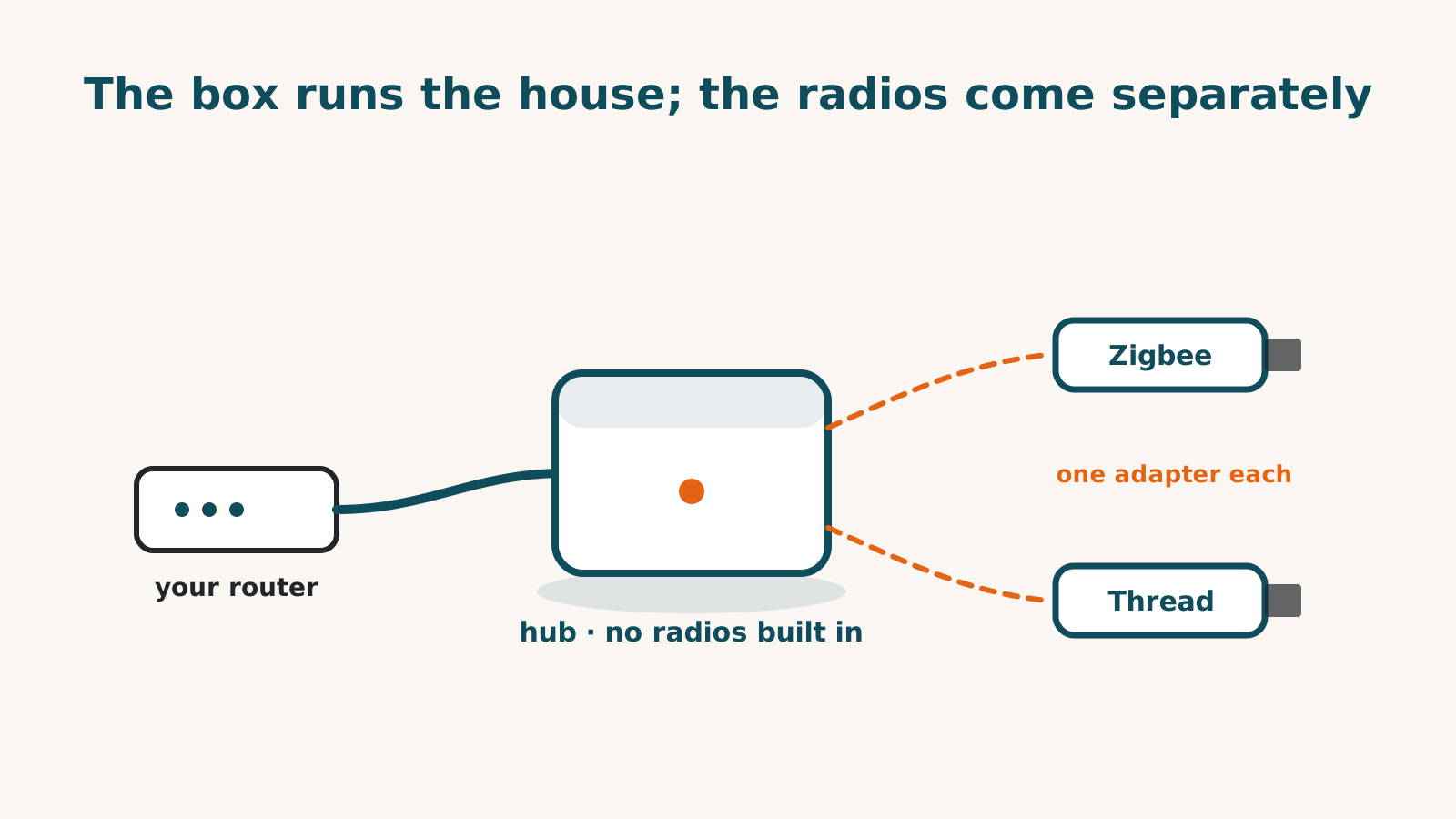
Home Assistant Green is a small computer that runs Home Assistant, and not much else comes in the box: the unit, a gigabit Ethernet cable and a universal power supply. That’s the thing to understand before buying one. The Green can run your automations, but it has no built-in Zigbee, Thread or Z-Wave radios. Check the connection each device needs: an adapter connected to the Green, or a supported route through equipment you already own.
What you get, and what it costs
The Home Assistant Green is still sold at a recommended $199. Home Assistant doesn’t sell it directly, so that figure is the suggested price at third-party shops, not a checkout total we read from a cart. It connects to your router by Ethernet only, and setup starts the way Home Assistant describes it: “Simply plug in the included power adapter and Ethernet cable to begin your Home Assistant journey.” The software itself costs nothing to run, and our record shows full function without a plan. The one paid extra is an optional subscription that adds remote access, covered below.
Check which radios you need
Radios are where the budget gets decided. Zigbee and Thread devices connect through a Home Assistant Connect ZBT-2 adapter at $49, and each ZBT-2 handles one of the two, not both. Home Assistant is direct about it: the adapter “cannot do both Zigbee and Thread simultaneously”, and they “strongly recommend dedicating a device to each protocol”. If you want the Green itself to provide both Zigbee and Thread radios, budget for two adapters. A supported Thread border router you already own may provide the Thread connection instead; check your network and setup requirements first. Home Assistant’s Green page still marks Thread on the adapter as under development. Z-Wave devices need a third, separate stick, which our records don’t price.
The older ZBT-1, sold as SkyConnect, is discontinued and replaced by the ZBT-2, so a second-hand ZBT-1 is the previous generation of the same adapter.
How it reaches Alexa, Google Home and Apple Home
Home Assistant can hand your devices to the big voice platforms, but the routes take different amounts of effort.
- Apple Home has a free, built-in route. Home Assistant’s built-in HomeKit Bridge is free. It tops out at 150 accessories per bridge, and it pairs as an “Uncertified Accessory”, so Apple Home asks you to tap Add Anyway. Cameras can be passed through, but HomeKit Secure Video is not supported.
- Alexa and Google Home each have an easy route and a free one. The easy route is Home Assistant Cloud from Nabu Casa, after a 30-day trial. The free route is do-it-yourself: for Alexa, an Amazon Web Services account and a custom skill; for Google, a Google Cloud developer project. Both free routes need your Home Assistant reachable from the internet at a secure web address, which is a networking job rather than a settings change.
- SmartThings works in one direction only. Home Assistant can pull SmartThings devices in, but no official route sends Home Assistant’s devices into the SmartThings app. Samsung has announced paid outside access from October 2026, which affects that inbound route; our guide to the change covers what to do.
Home Assistant also can’t pass its devices out to other platforms over Matter, so none of these routes is a shortcut around the others.
The optional plan, and what it’s for
Home Assistant itself runs without a subscription. Home Assistant Cloud is the optional convenience layer: it buys easy remote access, the turnkey Alexa and Google routes and off-site backups, and it funds the project. Nabu Casa’s US price, read on 2 October 2026, is $6.50 a month or $65 a year before tax. At those recorded rates, paying monthly for a year comes to $78; check the current terms before subscribing. Nabu Casa says the service is renamed Home Assistant Link on December 2.
What owning one involves
It draws little power for a box that’s always on. Home Assistant publishes about 1.7 W at idle and 3 W under load. Updates arrive regularly and installing them is your job, as is adding each integration you want. That’s the trade: the Green can connect to a great deal, and the connecting is done by you.
Local Home Assistant functions can stay available during an internet outage; devices that rely on a maker’s cloud may not. Home Assistant’s page for it says the software keeps your data locally, so “you can access your smart home even when the Internet is down”, though the first setup needs a connection. That statement is about Home Assistant, not every device connected to it. Home Assistant names remote access and the voice assistant links as the parts that rely on a cloud connection. Setup has you create the owner account of your Home Assistant, with a name, username and password, and Home Assistant warns there is no way to recover those owner credentials. The setup steps don’t ask you to sign up with Home Assistant Cloud or Nabu Casa.
Who it fits
The Green fits a household that wants one place to run automations across devices from different makers, is comfortable with a settings page, and doesn’t mind buying radios separately. It’s a harder fit for someone who wants a hub that sets itself up and stays out of the way, or who wants Alexa and Google Home without either a monthly plan or some networking work. If your devices already sit on a SmartThings hub, read what changes in October before deciding where they should live, and the hub directory compares the Green with every other hub we cover.
Sources for this guide· 1 product record
Product facts come from the linked research records; other cited sources appear below. Read each claim with its source date and any stated limit. Prices, features and support can change after a check. These are research profiles, not hands-on reviews.Report a correction if a source now gives a different answer.
- Home Assistant Green — record last verified 2026-10-01 · 52 sources, cited in full on its profile